

Sidebar Login
By Mike Jolley
Easily add an ajax-enhanced login widget to your WordPress site sidebar.
★ 4.5/5 (78)9,000+ active installations
- Version
- 3.1.0
- WordPress
- 6.6+
- PHP
- 7.4+
- Updated
- 12 Oct 2026
WORDPRESS RESOURCES
Explore public plugin information from the official WordPress.org directory. Compare what a plugin does, its requirements and update history before adding it to your website.
Explore WordPress hosting →5,888 matching plugins reported by WordPress.org · Page 33 of 50
Source: WordPress.org
Data refreshed 19 Nov 2026 17:57 UTC
By Mike Jolley
Easily add an ajax-enhanced login widget to your WordPress site sidebar.
Lightbox Block lets you display images, audio, video, and custom content in responsive lightbox galleries or media popups.
Display your event's date on a timer to your visitor with a countdown timer block
By scribu
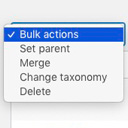
Allows you to merge terms, move terms between taxonomies, and set term parents, individually or in bulk.

By prismtechstudios
Add inline footnotes to your posts. On desktop, the footnotes will appear as tooltips. On mobile, the footnote will expand beneath the text.

By Mike Jolley
Publish and link together a series of posts using a new "series" taxonomy. Automatically display links to other posts in a series above your content.

By Brainstorm Force
Accept online donations with fundraising campaigns, donation forms, donor management, Stripe, PayPal, and offline payments.

By Willy Bahuaud
Use Pastacode to add code into your posts with the awesome PrismJs coloration library. So, past'a code!

By WPManageNinja
Feature Rich and Super Fast Support and Customer Ticketing System for WordPress.

By mihdan
ReCrawler is a small WordPress Plugin for quickly notifying search engines whenever their website content is created, updated, or deleted.

By DragBlock.Com
The "DragBlock" plugin enhances the WordPress Full Site Gutenberg Editor to support designing pixel perfect websites easily.

By KnitPay
The easiest and most secure way to collect payments with WooCommerce via Razorpay (Cards, NetBanking, UPI, Wallets, QR Code, Apple Pay).
CHOOSE WHAT YOUR WEBSITE NEEDS
Start with the task you need to solve. Compare features, WordPress and PHP requirements, update history and the author’s documentation. Test changes on a private copy and avoid adding several plugins for the same job.
This independent directory displays plugin information on WebFulHost and links to the official source. Packages are not mirrored or installed here. A plugin can include paid extensions or services with separate terms from its author.

