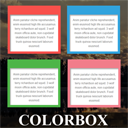
Colorbox panels is the most easiest drag & drop icon box and content box builder for WordPress. You can add unlimited panels with unlimited colour …
★ 4.6/5 (44)1,000+ active installations
- Version
- 2.1.6
- WordPress
- 5.0+
- Updated
- 27 Dec 2024
View plugin details ↗The #1 eCommerce plugin to sell digital products & subscriptions. Accept payments with Stripe & PayPal. Sell ebooks, software & more.
★ 4.7/5 (594)40,000+ active installations
- Version
- 3.7.3
- WordPress
- 6.7+
- PHP
- 8.0+
- Updated
- 2 Nov 2026
View plugin details ↗Manage 301, 302, and 307 redirects from inside WordPress — no .htaccess needed. Track 404 errors, fix broken links, and protect your SEO.
★ 4.3/5 (73)10,000+ active installations
- Version
- 9.20
- WordPress
- 4.1+
- PHP
- 7.0+
- Updated
- 25 Nov 2026
View plugin details ↗The main advantage of this widget is random movement of random links and every time they are changing.
★ 5.0/5 (4)1,000+ active installations
- Version
- 2.6.2
- WordPress
- 4.0+
- Updated
- 16 Apr 2026
View plugin details ↗Adds a custom set of <meta> tags to the <head> section of all posts & pages.
★ 4.8/5 (19)10,000+ active installations
- Version
- 20260810
- WordPress
- 4.7+
- PHP
- 5.6.20+
- Updated
- 10 Aug 2026
View plugin details ↗Powerful, customizable email notifications for bbPress and BuddyBoss forums — without the spam.
★ 4.8/5 (40)2,000+ active installations
- Version
- 3.0.3
- WordPress
- 3.1+
- PHP
- 7.4+
- Updated
- 3 Nov 2026
View plugin details ↗Expose menu order column on your dashboard listings.
★ 5.0/5 (1)200+ active installations
- Version
- 2.1.4
- WordPress
- 6.0+
- PHP
- 7.4+
- Updated
- 28 Sep 2026
View plugin details ↗WPC Mystery Box allows you to sell boxes that contain randomly products.
20+ active installations
- Version
- 1.2.3
- WordPress
- 5.9+
- Updated
- 11 Nov 2026
View plugin details ↗Get more shares on social: add one-click shareable quote boxes to any post so readers can share your best lines on Social Media in one click.
★ 4.8/5 (48)6,000+ active installations
- Version
- 6.0.1
- WordPress
- 3.8+
- Updated
- 3 Sep 2026
View plugin details ↗Export WooCommerce products, orders, users and any WordPress content to CSV, XML, Excel or Google Sheets file. Bulk export posts, pages, custom post t …
★ 3.2/5 (16)5,000+ active installations
- Version
- 3.1
- WordPress
- 5.0+
- PHP
- 7.4+
- Updated
- 30 Sep 2026
View plugin details ↗Adds a smooth, animated custom cursor — choose from 9 cursor styles, each fully customizable with a live preview — no coding needed.
300+ active installations
- Version
- 2.3.1
- WordPress
- 5.8+
- PHP
- 7.4+
- Updated
- 16 Sep 2026
View plugin details ↗Light weight fully customizable reading progress bar. Sticks to top, bottom or sticky menu, with fallback for small screens. Includes ert (beta).
★ 5.0/5 (19)3,000+ active installations
- Version
- 1.7.0
- WordPress
- 4.9+
- PHP
- 5.6+
- Updated
- 15 Aug 2026
View plugin details ↗