SiteSEO is an easy, fast and powerful SEO plugin for WordPress. Unlock your Website's potential and Maximize your online visibility with our SiteSEO!
★ 4.0/5 (8)400,000+ active installations
- Version
- 1.4.3
- WordPress
- 5.0+
- PHP
- 7.2+
- Updated
- 25 Nov 2026
View plugin details ↗Add a stupidly simple and lightweight contact form to your website with [contact-form-zero].
★ 5.0/5 (1)40+ active installations
- Version
- 1.6
- WordPress
- 5.0+
- Updated
- 18 Jul 2026
View plugin details ↗Verge3D application publising and e-commerce plugin for WordPress.
★ 4.0/5 (4)400+ active installations
- Version
- 4.14.0
- WordPress
- 6.0+
- PHP
- 7.4+
- Updated
- 12 Nov 2026
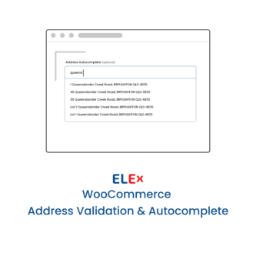
View plugin details ↗Simple and easy to use address validation & google address autocomplete plugin. Uses EasyPost, UPS, USPS, AddressFinder & Google APIs.
★ 4.2/5 (10)700+ active installations
- Version
- 1.8.8
- WordPress
- 3.0.1+
- Updated
- 24 Nov 2026
View plugin details ↗Automatically fix broken links by replacing them with archived versions from the Internet Archive's Wayback Machine.
★ 3.8/5 (8)1,000+ active installations
- Version
- 1.5.0
- WordPress
- 6.4+
- PHP
- 7.4+
- Updated
- 20 Oct 2026
View plugin details ↗Connect Claude, ChatGPT or any AI app to WordPress. Drafts only mode, access levels per app and a 72-hour undo. 400+ tools, self-hosted.
★ 5.0/5 (7)10,000+ active installations
- Version
- 2.0.2
- WordPress
- 5.8+
- PHP
- 7.4+
- Updated
- 27 Nov 2026
View plugin details ↗Show content of specific posts, pages, ... within their own, additional domains. Useful for SEO: different domains for landingpages.
★ 4.6/5 (48)6,000+ active installations
- Version
- 1.1.1
- WordPress
- 4.5+
- Updated
- 27 Oct 2026
View plugin details ↗Google reviews widget for WordPress — 21 languages, 34 layouts, shortcode or block. No API keys. Unlimited views.
1,000+ active installations
- Version
- 1.2.8
- WordPress
- 6.0+
- PHP
- 7.4+
- Updated
- 23 Nov 2026
View plugin details ↗SVG Editor lets you upload SVG files and change their colors directly within the WordPress Media Library.
★ 5.0/5 (3)100+ active installations
- Version
- 1.1
- WordPress
- 5.0+
- PHP
- 7.0+
- Updated
- 27 Jul 2026
View plugin details ↗Organize and manage your files with WordPress media folders. Fast, flexible, and professional.
★ 4.3/5 (22)6,000+ active installations
- Version
- 2.5.7
- WordPress
- 5.2+
- PHP
- 7.2+
- Updated
- 1 Nov 2026
View plugin details ↗Save abandoned carts and send automated abandoned cart recovery messages. Get more leads, reduce cart abandonment, and increase sales.
★ 4.8/5 (84)10,000+ active installations
- Version
- 8.11.1
- WordPress
- 4.6+
- PHP
- 7.0+
- Updated
- 11 Oct 2026
View plugin details ↗The official way to use Font Awesome Free or Pro icons on your WordPress site, brought to you by the Font Awesome team.
★ 3.6/5 (61)400,000+ active installations
- Version
- 5.2.1
- WordPress
- 5.8+
- PHP
- 7.4+
- Updated
- 13 Aug 2026
View plugin details ↗