

Improve SEO rankings with a powerful SEO Audit, automatic optimizations and Expert Insights. SEOKEY is the easiest and most powerful SEO plugin!
★ 4.7/5 (42)1,000+ active installations
- Version
- 2.0.3
- WordPress
- 5.5+
- PHP
- 7.2+
- Updated
- 15 Jul 2025
WORDPRESS RESOURCES
Explore public plugin information from the official WordPress.org directory. Compare what a plugin does, its requirements and update history before adding it to your website.
Explore WordPress hosting →8,344 matching plugins reported by WordPress.org · Page 34 of 50
Source: WordPress.org
Data refreshed 21 Nov 2026 17:04 UTC
Improve SEO rankings with a powerful SEO Audit, automatic optimizations and Expert Insights. SEOKEY is the easiest and most powerful SEO plugin!

By cleverhog
Totally free malware scanner with no paid features: find infected files, backdoors, hacked core files, rogue admins and outdated software.
By Cool Plugins
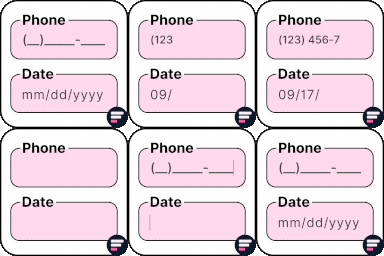
Add input masks to Elementor Pro or Hello Plus form fields - phone, date, time, credit card, CPF, CNPJ, CEP & more for accurate entries.

By magepeopleteam
Taxi Booking & Cab Booking for WooCommerce. Chauffeur service with fare calculator, distance pricing, and OpenStreetMap.
Lightweight, scalable and full-featured event listings & management plugin for managing events & tickets from the Frontend and Backend.

By Easy Appointments
The easiest free WordPress booking plugin. Create beautiful appointment booking forms with flexible scheduling and email notifications.
Photo Gallery is a cool responsive image gallery plugin with beautiful views

By Konrad Chmielewski
All-in-one enhancement suite that improves WordPress & Advanced Custom Fields.

By Patrick Lumumba
Allows post authors to easily add and manage footnotes in posts and pages.

By GrandPlugins
Quick View popups and Buy Now buttons for WooCommerce, so shoppers can see a product and buy it without leaving the page.

By Narinder Singh
Showcase your story or company history, events, and roadmap in an interactive timeline using the powerful Cool Timeline plugin.

By Maciej Molenda
Restricted content for users who have not purchased the indicated product or product variant.
CHOOSE WHAT YOUR WEBSITE NEEDS
Start with the task you need to solve. Compare features, WordPress and PHP requirements, update history and the author’s documentation. Test changes on a private copy and avoid adding several plugins for the same job.
This independent directory displays plugin information on WebFulHost and links to the official source. Packages are not mirrored or installed here. A plugin can include paid extensions or services with separate terms from its author.

