

Mail Designer 365 Subscription Form Inserter
By maildesigner
This plugin allows you to insert a subscription form into your WordPress site.
0+ active installations
- Version
- 1.0.7
- WordPress
- 6.0+
- PHP
- 7.0+
- Updated
- 15 Oct 2024
WORDPRESS RESOURCES
Explore public plugin information from the official WordPress.org directory. Compare what a plugin does, its requirements and update history before adding it to your website.
Explore WordPress hosting →677 matching plugins reported by WordPress.org · Page 34 of 50
Source: WordPress.org
Data refreshed 26 Nov 2026 01:49 UTC
By maildesigner
This plugin allows you to insert a subscription form into your WordPress site.

By virodigital
AI landing page builder: describe your business and get a complete bespoke page — design, copy, AI images, SEO — in minutes. Edit by chat or click.

By WarfarePlugins
The most beautiful, responsive, lightning fast social share buttons built to boost shares and drive more traffic without slowing down your site.

By Michael Finkenberger
Take full control over authentication, sessions, and password security in WordPress – including real-time session monitoring, 2FA, and emergency tools
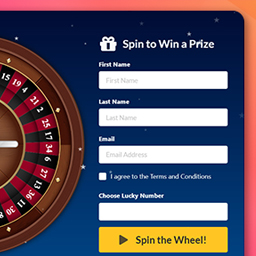
Engage visitors, converting valuable traffic into buyers & subscribers. Visitors spin the wheel, win an auto-generated coupon or prize and have a …

By mariusgroze
Transform property photos with AI. Virtual staging, sky replacement, HD enhancement, renovation preview and 25+ more enhancements.

By jometo
This plugin provides a responsive form for custom fashion design ideas anywhere inside your site you want.

By Scaleflex
Scaleflex VXP centralizes, manages, optimizes and accelerates your media assets in one single source of truth.

Let customers listen before they buy. Add audio previews to WooCommerce products, posts and pages with a fast, mobile-friendly player.

By Francesco Pesce
Easily create, edit, and manage Gutenberg blocks without writing React
Grow WooCommerce sales with an affiliate and referral program: automatic tracking, real coupon codes, affiliate links, and payouts handled for you.

By Zishan Ali Gulzar
Add smart order bumps to your WooCommerce checkout page to boost revenue with one-click upsells.
CHOOSE WHAT YOUR WEBSITE NEEDS
Start with the task you need to solve. Compare features, WordPress and PHP requirements, update history and the author’s documentation. Test changes on a private copy and avoid adding several plugins for the same job.
This independent directory displays plugin information on WebFulHost and links to the official source. Packages are not mirrored or installed here. A plugin can include paid extensions or services with separate terms from its author.
