

All in one WordPress plugin - accessibility, tag manager, notes, floating contact buttons, back to top, cookie bar and more.
★ 4.7/5 (54)20,000+ active installations
- Version
- 4.1.2
- WordPress
- 5.3+
- PHP
- 7.1+
- Updated
- 26 Sep 2026
WORDPRESS RESOURCES
Explore public plugin information from the official WordPress.org directory. Compare what a plugin does, its requirements and update history before adding it to your website.
Explore WordPress hosting →3,600 matching plugins reported by WordPress.org · Page 34 of 50
Source: WordPress.org
Data refreshed 20 Nov 2026 15:06 UTC
All in one WordPress plugin - accessibility, tag manager, notes, floating contact buttons, back to top, cookie bar and more.

By Ludwig You
Modular WordPress toolkit for security, performance, SMTP, WebP images, code snippets, redirects, administration and more.
Share buttons and pop up share icons for social media sharing

By Joshua David Nelson
Move your scripts to the footer to help speed up perceived page load times and improve user experience.

By Nelio Software
WordPress editorial calendar and social media auto-posting plugin. Schedule posts, share to social networks, and streamline content workflows.

By Rolf Allard van Hagen
Show an analog clock on your WordPress site sidebar or in post and page content.

By wipeoutmedia
Add CSS, JavaScript, PHP and HTML code snippets to your site.

By Iqonic Design
Marvy is the ultimate animation add-on for Elementor. Bring your pages to life with next-generation animation effects and seamless Elementor integrati …
By prismtechstudios
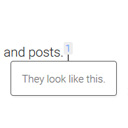
Add inline footnotes to your posts. On desktop, the footnotes will appear as tooltips. On mobile, the footnote will expand beneath the text.

By frontmanai
Update an existing WordPress site with AI beside a live preview. Select a page element, describe the change, and review the result.
Copy Protection plugin is activated it disables the right click, copy paste, content selection and copy shortcut keys

By webaware
Embed Google Maps shortcodes in pages and posts, either by center coordinates or street address, or by URL to a Google Earth KML file.
CHOOSE WHAT YOUR WEBSITE NEEDS
Start with the task you need to solve. Compare features, WordPress and PHP requirements, update history and the author’s documentation. Test changes on a private copy and avoid adding several plugins for the same job.
This independent directory displays plugin information on WebFulHost and links to the official source. Packages are not mirrored or installed here. A plugin can include paid extensions or services with separate terms from its author.

