Choose your own upload folders using post titles, categories, dates and more. Keep files easy to find when browsing your server.
★ 4.4/5 (25)5,000+ active installations
- Version
- 3.6.0
- WordPress
- 5.7+
- PHP
- 7.4+
- Updated
- 13 Oct 2026
View plugin details ↗job board plugin for job listings, managing applicants, applications, categories, job types, taxonomies, career page, job openings, and recruiters
★ 4.7/5 (133)10,000+ active installations
- Version
- 2.14.5
- WordPress
- 5.1+
- PHP
- 7.4+
- Updated
- 8 Sep 2026
View plugin details ↗Provide an easy refund service and increase customer satisfaction with WooCommerce Return Refund, and Exchange Warranty Management Plugin.
★ 4.7/5 (124)4,000+ active installations
- Version
- 4.7.0
- WordPress
- 6.7.0+
- PHP
- 7.4+
- Updated
- 12 Nov 2026
View plugin details ↗Collect, manage, and display customer reviews with testimonial sliders, carousels, grids, lists, and review forms. Build with AI or ready patterns.
★ 4.7/5 (226)40,000+ active installations
- Version
- 4.1.2
- WordPress
- 6.3+
- PHP
- 7.4+
- Updated
- 10 Nov 2026
View plugin details ↗Organize and manage your files with WordPress media folders. Fast, flexible, and professional.
★ 4.3/5 (22)6,000+ active installations
- Version
- 2.5.7
- WordPress
- 5.2+
- PHP
- 7.2+
- Updated
- 1 Nov 2026
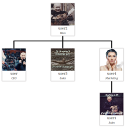
View plugin details ↗Drag-and-drop organization chart for WordPress. Display your team hierarchy with a shortcode.
★ 4.8/5 (22)900+ active installations
- Version
- 2.3.6
- WordPress
- 6.0+
- PHP
- 8.0+
- Updated
- 28 Jul 2026
View plugin details ↗Highlight your company’s history, milestones, and key events directly inside Elementor using stunning vertical and horizontal timelines.
★ 4.8/5 (248)70,000+ active installations
- Version
- 1.7.4
- WordPress
- 5.0+
- PHP
- 7.2+
- Updated
- 18 Nov 2026
View plugin details ↗This plugin is more than just a photo album plugin, it is a complete, highly customizable multimedia cms and display system.
★ 4.7/5 (199)10,000+ active installations
- Version
- 9.3.07.003
- WordPress
- 6.9+
- PHP
- 5.5+
- Updated
- 24 Nov 2026
View plugin details ↗Custom Library is your own design system in Elementor. Organize templates, save time with consistent designs. Get Custom Library for Elementor Templat …
★ 5.0/5 (4)100+ active installations
- Version
- 2.5.0
- WordPress
- 6.0+
- PHP
- 7.4+
- Updated
- 27 Mar 2026
View plugin details ↗WooCommerce Product Addons Add custom fields to your WooCommerce product page. With an easy-to-use Custom Form Builder.
★ 4.9/5 (478)30,000+ active installations
- Version
- 3.1.12
- WordPress
- 5.0+
- PHP
- 7.2+
- Updated
- 23 Nov 2026
View plugin details ↗A WordPress LMS Plugin to create WordPress Learning Management System. Turn your WordPress to LMS WordPress Website with Courses, Lessons, Quizzes &am …
★ 4.3/5 (597)60,000+ active installations
- Version
- 4.5.0
- WordPress
- 6.0+
- PHP
- 7.4+
- Updated
- 20 Nov 2026
View plugin details ↗The Click To Copy Block plugin offers a seamless Gutenberg block for one-click content copying.
★ 5.0/5 (2)900+ active installations
- Version
- 2.0.6
- WordPress
- 6.5+
- PHP
- 7.4+
- Updated
- 17 Nov 2026
View plugin details ↗