

Boost your gamification marketing & reward your users with points, badges & ranks to increase your site activity & loyalty! AI Assistant included!
★ 4.9/5 (493)10,000+ active installations
- Version
- 8.1.8
- WordPress
- 4.4+
- PHP
- 7.0+
- Updated
- 23 Nov 2026
WORDPRESS RESOURCES
Explore public plugin information from the official WordPress.org directory. Compare what a plugin does, its requirements and update history before adding it to your website.
Explore WordPress hosting →2,106 matching plugins reported by WordPress.org · Page 35 of 50
Source: WordPress.org
Data refreshed 24 Nov 2026 17:09 UTC
Boost your gamification marketing & reward your users with points, badges & ranks to increase your site activity & loyalty! AI Assistant included!

By drakearthur
FAQly – Ultimate FAQ Plugin: A plugin to manage FAQs and display them as an accordion using a shortcode.
Create interactive images with clickable hotspots, using modern image maps for WordPress. Perfect for floor plans, infographics, maps, and more.

By mra13 / Team Tips and Tricks HQ
Create and manage license keys for your software applications easily

Advanced Elementor addons plugin with widgets, WooCommerce builder, mega menu, popup builder and Elementor template kits for faster website design.
WPB Accordion Menu: Responsive accordion, vertical sidebar and mobile menu for WooCommerce categories, navigation menus & Elementor.
WooCommerce Bulk Edit for products, orders, coupons & any WordPress post type – all in one Excel-like spreadsheet. Manage stock & pricing too.
By Web Builder 143
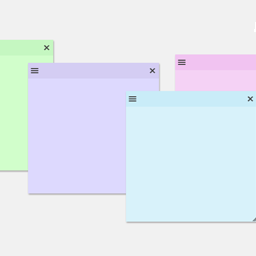
Create sticky notes in your WP admin for reminders and to-dos. Restrict notes by user roles and disable them on specific pages.
Collect leads from all your contact forms into one place, manage, distribute, and track them, and integrate with your CRM and webservices.
Generate PDF files and print WordPress posts/pages. Customize document header/footer styles and appearance.
Build flexible popups and modal windows with multiple popup types, triggers, and display controls.
Document Embedder Addons for Elementor makes it simple to embed PDFs, Word docs, and others into your pages, no downloads or redirects needed.
CHOOSE WHAT YOUR WEBSITE NEEDS
Start with the task you need to solve. Compare features, WordPress and PHP requirements, update history and the author’s documentation. Test changes on a private copy and avoid adding several plugins for the same job.
This independent directory displays plugin information on WebFulHost and links to the official source. Packages are not mirrored or installed here. A plugin can include paid extensions or services with separate terms from its author.






