

Recently Purchased Products For Woo
By World Web Technology
Display Recently Purchased Products For Woocommerce using Widget and Shortcode
★ 4.0/5 (4)50+ active installations
- Version
- 1.2.1
- WordPress
- 5.8+
- PHP
- 7.4+
- Updated
- 7 Jul 2026
WORDPRESS RESOURCES
Explore public plugin information from the official WordPress.org directory. Compare what a plugin does, its requirements and update history before adding it to your website.
Explore WordPress hosting →2,515 matching plugins reported by WordPress.org · Page 35 of 50
Source: WordPress.org
Data refreshed 29 Nov 2026 15:10 UTC
By World Web Technology
Display Recently Purchased Products For Woocommerce using Widget and Shortcode

By megabase
A flexible calendar and event list for communities, businesses and organizations.
Footnotes, tooltips and glossary notes for the block editor. Click a term to reveal context inline — no page jumps.

By CreativeMindsSolutions
Discussion Forum Plugin for WordPress Q&A. Build engaging community forums with voting, moderation, notifications, and AI integration.

By ristorehemagi
ContentGecko Connector syncs ContentGecko posts, products, and translations with WordPress securely.

By Dotstore
Allow you to set a minimum or maximum purchase quantity for the WooCommerce store.

By Core Listing
Embed live commercial real estate listings, sold deals and your team roster from your Core Listing account using a shortcode or block.
By Saidul Islam Bokul
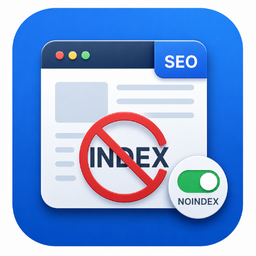
Exclude any post, page, or archive from search engines with one toggle — plus a built-in verifier that proves the tag is really live.

By CreativeMindsSolutions
Create and manage a business directory with this business listings plugin. List businesses, add details, and help users find services.

By Ashish Ajani
Using Simple HTML Sitemap plugin, you can add HTML Sitemap anywhere on the website using Shortcode.

By Astoundify
Add predefined regions to WP Job Manager submission form.
Build responsive, sortable and searchable tables with drag & drop. Import CSV, Excel or JSON. Create data, pricing, comparison and product tables.
CHOOSE WHAT YOUR WEBSITE NEEDS
Start with the task you need to solve. Compare features, WordPress and PHP requirements, update history and the author’s documentation. Test changes on a private copy and avoid adding several plugins for the same job.
This independent directory displays plugin information on WebFulHost and links to the official source. Packages are not mirrored or installed here. A plugin can include paid extensions or services with separate terms from its author.

