

Restrict for Elementor
By Restrict
Show or hide Elementor sections, columns and widgets with ease using many different criteria
★ 4.0/5 (9)900+ active installations
- Version
- 1.2.1
- WordPress
- 6.5+
- Updated
- 19 Oct 2026
WORDPRESS RESOURCES
Explore public plugin information from the official WordPress.org directory. Compare what a plugin does, its requirements and update history before adding it to your website.
Explore WordPress hosting →10,000 matching plugins reported by WordPress.org · Page 35 of 50
Source: WordPress.org
Data refreshed 28 Nov 2026 03:25 UTC
By Restrict
Show or hide Elementor sections, columns and widgets with ease using many different criteria

By tychesoftwares
Custom Order Status for WooCommerce allows you to create and manage order statuses. It improves order management & overall order workflow.
AI SEO plugin for WordPress SEO: AI SEO tools, Google Search Console, meta descriptions, schema & XML sitemaps. Focus keywords+MCP for Claude/ChatGPT.

By Mickey Kay
Add Font Awesome Free icons that stay current automatically, with a native WordPress block, shortcodes, a Classic Editor picker, and legacy support.
Create, manage, and assign WordPress user roles and capabilities with precision — ideal for e-commerce and membership sites.

By ThemetechMount
Generate SEO-optimized FAQ sections with FAQ Schema markup and AI-powered FAQ generation for Elementor.
By fuzzoid
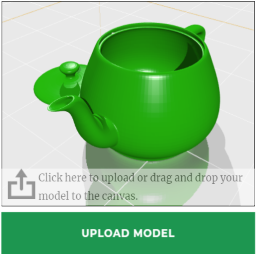
A plugin for selling 3D printing services.
Appointment booking built only for salons, barbershops and spas. Set it up in minutes by chatting with the AI assistant.
Free. Hide admin notices, remove dashboard widgets from view and hide selected admin menu and toolbar items without changing permissions.

By nasir179125
A collection of customizable elements for WPBakery Page Builder.

By Fahad Mahmood
Blocks malicious and unknown query-string requests, detects injection attempts, and audits user capabilities and sessions.

By Activity Log Pro
WordPress activity log & admin user tracking. Track logins, content changes, and security events to see who did what, when, and where.
CHOOSE WHAT YOUR WEBSITE NEEDS
Start with the task you need to solve. Compare features, WordPress and PHP requirements, update history and the author’s documentation. Test changes on a private copy and avoid adding several plugins for the same job.
This independent directory displays plugin information on WebFulHost and links to the official source. Packages are not mirrored or installed here. A plugin can include paid extensions or services with separate terms from its author.



