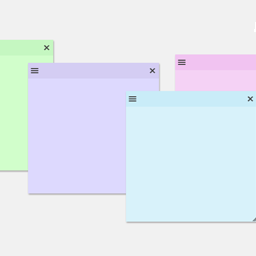
Create sticky notes in your WP admin for reminders and to-dos. Restrict notes by user roles and disable them on specific pages.
★ 5.0/5 (7)1,000+ active installations
- Version
- 1.2.7
- WordPress
- 3.6.0+
- PHP
- 5.6+
- Updated
- 4 Sep 2026
View plugin details ↗Add beautiful, customizable cards to showcase plugins, themes, and projects from WordPress.org, GitHub repos, EDD, and third-party plugins.
★ 5.0/5 (23)400+ active installations
- Version
- 6.5.0
- WordPress
- 6.9+
- PHP
- 8.0+
- Updated
- 18 Nov 2026
View plugin details ↗Manage the database from your WordPress Dashboard using Adminer.
★ 5.0/5 (29)20,000+ active installations
- Version
- 4.3.4.1
- WordPress
- 4.7.0+
- PHP
- 7.0+
- Updated
- 30 Mar 2026
View plugin details ↗Turn Google Sheets into live WordPress tables. Embed, sync, and customize data instantly with search, filters, and styling - no coding needed.
★ 4.6/5 (35)3,000+ active installations
- Version
- 3.27.0
- WordPress
- 6.9+
- PHP
- 7.2+
- Updated
- 17 Nov 2026
View plugin details ↗Publish posts automatically to Twitter.
★ 4.9/5 (206)3,000+ active installations
- Version
- 1.7.7
- WordPress
- 3.0+
- PHP
- 7.4+
- Updated
- 8 Jun 2026
View plugin details ↗Comprehensive image optimization with WebP, AVIF, Lazy Load, and more. Optimize images automatically for Faster Sites and Happy Visitors.
★ 4.8/5 (1,847)1,000,000+ active installations
- Version
- 8.9.2
- WordPress
- 6.8+
- PHP
- 7.4+
- Updated
- 10 Nov 2026
View plugin details ↗PublishPress Future can make scheduled changes to your content. You can unpublish posts, move posts to a new status, update the categories, and more.
★ 4.5/5 (173)100,000+ active installations
- Version
- 4.11.2
- WordPress
- 6.8+
- PHP
- 7.4+
- Updated
- 22 Oct 2026
View plugin details ↗wp-monalisa is the plugin that smiles at you like monalisa does. place the smilies of your choice in posts, pages or comments.
★ 4.8/5 (25)600+ active installations
- Version
- 6.6
- WordPress
- 4.0+
- Updated
- 6 Dec 2025
View plugin details ↗Manage 301 redirects, track 404 errors, and improve your site. No knowledge of Apache or Nginx required.
★ 4.4/5 (705)2,000,000+ active installations
- Version
- 5.10.1
- WordPress
- 6.7+
- PHP
- 7.4+
- Updated
- 19 Sep 2026
View plugin details ↗A glossary block for your WordPress website, with structured data and powered by a Gutenberg block or a shortcode.
★ 4.3/5 (3)200+ active installations
- Version
- 0.6.4
- WordPress
- 5.0+
- PHP
- 7.0+
- Updated
- 28 Aug 2026
View plugin details ↗Embed Google Maps shortcodes in pages and posts, either by center coordinates or street address, or by URL to a Google Earth KML file.
★ 4.8/5 (66)7,000+ active installations
- Version
- 1.19.0
- WordPress
- 4.6+
- PHP
- 5.6+
- Updated
- 6 Sep 2026
View plugin details ↗WP Popup Builder is a powerful tool to create amazing popup for your site. Its drag and drop feature help to create form in very easy step without hav …
★ 3.5/5 (2)2,000+ active installations
- Version
- 1.3.9
- WordPress
- 5.5+
- PHP
- 5.6+
- Updated
- 28 Mar 2026
View plugin details ↗