Enhance the power of your WordPress editor with the dynamic Gutenberg blocks by BlockArt Blocks. Build any layout imaginable.
★ 4.9/5 (16)10,000+ active installations
- Version
- 2.4.4
- WordPress
- 6.6+
- PHP
- 7.4+
- Updated
- 16 Nov 2026
WORDPRESS RESOURCES
Explore public plugin information from the official WordPress.org directory. Compare what a plugin does, its requirements and update history before adding it to your website.
Explore WordPress hosting →5,895 matching plugins reported by WordPress.org · Page 35 of 50
Source: WordPress.org
Data refreshed 24 Nov 2026 20:10 UTC
Enhance the power of your WordPress editor with the dynamic Gutenberg blocks by BlockArt Blocks. Build any layout imaginable.

By Shahadat Hossain
Turn any PDF into a realistic, interactive 3D page-flip flipbook — or a standard viewer — for eBooks, catalogs, manuals, newsletters & reports.

By melulivechat
Adds the Melu managed live chat widget to every page of your WordPress site. Just enter your product key.
Create custom post types in WordPress with custom fields, taxonomies, and meta fields. AI-powered WordPress metadata plugin.
Tabs Block for Gutenberg – create responsive, accessible tabs using the WordPress Interactivity API.
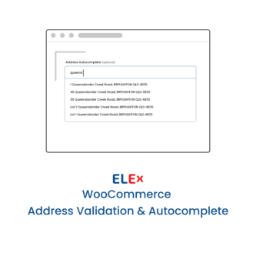
Simple and easy to use address validation & google address autocomplete plugin. Uses EasyPost, UPS, USPS, AddressFinder & Google APIs.

By Mat Bao Corporation
All-in-one WordPress toolkit: contact channels, SMTP, maintenance, AI, spam filter, WooCommerce — one plugin.
AI-Powered schema markup plugin for WordPress. Generate JSON-LD schema and FAQs, validate Rich Results, and audit your structured data.

By Greg - SiteOrigin
Build responsive page layouts using the widgets you know and love using this simple drag and drop page builder.

By Rustaurius
Build a standalone product catalog with blocks or shortcodes, responsive filtering and search, plus optional WooCommerce integration.

By WPOrbit Support
Highly customizable shortcodes to create pages with beautiful masonry layout and infinite scrolling effect.

By Ayush Guleria
Adds a simple "Read More / Read Less" toggle to long content using lightweight JavaScript. Ideal for blogs, FAQs, or excerpts.
CHOOSE WHAT YOUR WEBSITE NEEDS
Start with the task you need to solve. Compare features, WordPress and PHP requirements, update history and the author’s documentation. Test changes on a private copy and avoid adding several plugins for the same job.
This independent directory displays plugin information on WebFulHost and links to the official source. Packages are not mirrored or installed here. A plugin can include paid extensions or services with separate terms from its author.