

User Toolkit
By Deryck
The missing user tools and activity data that you need and don't have by default.
★ 5.0/5 (4)100+ active installations
- Version
- 1.2.4
- WordPress
- 5.9.5+
- PHP
- 7.4+
- Updated
- 28 Oct 2024
WORDPRESS RESOURCES
Explore public plugin information from the official WordPress.org directory. Compare what a plugin does, its requirements and update history before adding it to your website.
Explore WordPress hosting →2,479 matching plugins reported by WordPress.org · Page 35 of 50
Source: WordPress.org
Data refreshed 22 Nov 2026 13:50 UTC
By Deryck
The missing user tools and activity data that you need and don't have by default.

By easyreply
Add the EasyReply support bubble to your WordPress site with optional signed-in user identification.

By Ben Leow
Browse products and enquire by WhatsApp, email, phone or form. A catalog plugin with no cart and no checkout.

By Keytomic
Publish SEO articles from Keytomic to WordPress as drafts or live posts, with hero images, SEO titles, meta descriptions and structured data.

By Hamidreza Rezaei
Protect WooCommerce filtered URLs from crawl floods with noindex/canonical controls, signed cookies, rate limits, logs, and rollback.

By Hanuit Solutions
Scans files for malware, tracks file integrity, audits WP-Cron for planted jobs, and blocks login brute-force and common attacks.

By UASTEND GROUP
Author box with E-E-A-T SEO schema, custom author page, subscriber system, notification bell and scheduled email digests.
By IdiomIQ
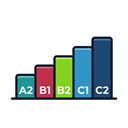
Built for language schools, English tutors, and course providers, the Adaptive Placement Test turns website visitors into pre-qualified leads.

By Akhilesh Kumar Meena
Calculate marketing ROI, revenue, profit and ROAS, capture leads, and export campaign reports.

By Coysh Digital
Cookieless website analytics in your WordPress dashboard. No third-party service, no IP addresses stored, no per-visitor rows.

By skromets
Monitors third-party scripts on your WooCommerce checkout, detects tampering and produces a PCI DSS 6.4.3/11.6.1 report.

By canopuswebagency26
Lightweight SEO plugin: titles & meta, XML sitemap, redirects, schema, local SEO and optional AI — all local by default, nothing phones home.
CHOOSE WHAT YOUR WEBSITE NEEDS
Start with the task you need to solve. Compare features, WordPress and PHP requirements, update history and the author’s documentation. Test changes on a private copy and avoid adding several plugins for the same job.
This independent directory displays plugin information on WebFulHost and links to the official source. Packages are not mirrored or installed here. A plugin can include paid extensions or services with separate terms from its author.