

Google Maps with unlimited markers, custom icons, marker categories, clustering and map themes. Gutenberg block, Elementor widget, no coding.
★ 4.6/5 (251)20,000+ active installations
- Version
- 1.17.0
- WordPress
- 5.9+
- PHP
- 7.3+
- Updated
- 17 Nov 2026
WORDPRESS RESOURCES
Explore public plugin information from the official WordPress.org directory. Compare what a plugin does, its requirements and update history before adding it to your website.
Explore WordPress hosting →10,000 matching plugins reported by WordPress.org · Page 35 of 50
Source: WordPress.org
Data refreshed 20 Nov 2026 16:03 UTC
Google Maps with unlimited markers, custom icons, marker categories, clustering and map themes. Gutenberg block, Elementor widget, no coding.

By cituro
Integrate cituro booking widget to any WordPress website.

By A WP Life
Create responsive image gallery, photo gallery with lightbox, grid & masonry layouts. Display using shortcode, Gutenberg block or Elementor widget.

By Dotdigital
Add the Dotdigital for WordPress plugin to your site and allow your visitors to sign up to your newsletter and email marketing campaigns.

By Steve Truman
Predictive Search for WooCommerce gives your customers an awesome search experience delivering stunning 'live' product search results.
By Denra.com
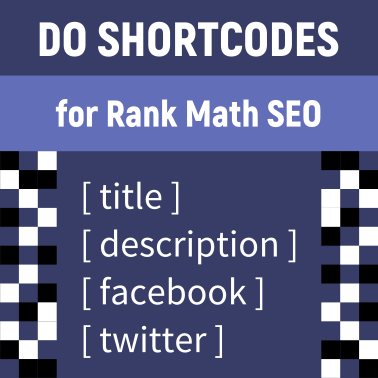
Display shortcodes in the title, description, Facebook and Twitter fields, and other locations for Rank Math SEO.
Boost web accessibility and ADA compliance on your site with an advanced accessibility widget, customizable toolbar and compliance tools.

By Artem Semkin
Pinned horizontal scroll sections for Elementor. Panels are real Containers you design inline – no templates or shortcodes. CSS-driven, responsive.

By bradvin
Bookmark your favorite posts, pages or custom post types within the WordPress admin

Team plugin to showcase team members, sports rosters, or creative portfolios with grid, list, Slider, table layout. Supports Corporate and Sports Leag …

By thingsym
Custom Post Type Widgets for the Block Editor (Gutenberg). This WordPress plugin adds default Custom Post Type Widgets to the Block Editor.

By Element Invader
Ready to use Elementor Addon Elements like Menu, Forms, Maps, Newsletter with many styling options
CHOOSE WHAT YOUR WEBSITE NEEDS
Start with the task you need to solve. Compare features, WordPress and PHP requirements, update history and the author’s documentation. Test changes on a private copy and avoid adding several plugins for the same job.
This independent directory displays plugin information on WebFulHost and links to the official source. Packages are not mirrored or installed here. A plugin can include paid extensions or services with separate terms from its author.
