Post Duplicator Plus
By Md Yakub Mizan
Duplicate a post or page with one click. Simple plugin. Just a few lines of code.
200+ active installations
- Version
- 1.0.1
- WordPress
- 5.0+
- PHP
- 5.2.4+
- Updated
- 26 May 2026
WORDPRESS RESOURCES
Explore public plugin information from the official WordPress.org directory. Compare what a plugin does, its requirements and update history before adding it to your website.
Explore WordPress hosting →2,579 matching plugins reported by WordPress.org · Page 35 of 50
Source: WordPress.org
Data refreshed 24 Nov 2026 20:02 UTC
By Md Yakub Mizan
Duplicate a post or page with one click. Simple plugin. Just a few lines of code.

By oveas
Preserves admin list filters for Posts, Pages, and WooCommerce Products. Filters like search terms, ordering and statuses are remembered per user.

By Codexpert, Inc
Design stunning WooCommerce sites that sell with 94+ Widgets, 14+ Modules, & 150+ Templates of CoDesigner Elementor WooCommerce addon.

By Jonny Quinn
Add beautiful OpenStreetMap locations to Elementor with manual coordinate entry and custom pin colors.

By Mustafa Kamal hossain
Cross-domain copy and paste for Elementor. Copy elements between sites with smart media import and 1-click page duplicator.
Modern quiz themes, quick-start wizard, analytics with CSV export, Elementor widget and Gutenberg block, progress bar and friendly results for LearnDa …

By Alen Joseph
A lightweight WordPress plugin that allows administrators to export individual pages directly from the WordPress Admin interface.
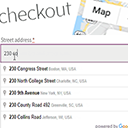
Improve your WooCommerce checkout flow with Google Places address autocomplete, geocoding, and location picker tools. Supports Classic Checkout and Ch …
Beautiful maintenance and coming-soon pages with a true live preview. Build it, see it, ship it - no save-refresh-repeat.
DB Reset Pro is a powerful free Database reset plugin for WordPress. 1-click database reset to default settings while preserving files, media uploads, …

By silverplugins217
Add beautiful, fully customizable product badges and labels to your WooCommerce shop, category, and single product pages — no coding required.

By Pepro Dev. Group
Let customers upload a payment receipt (image or PDF) for any payment method, and approve or reject it from the WooCommerce order screen.
CHOOSE WHAT YOUR WEBSITE NEEDS
Start with the task you need to solve. Compare features, WordPress and PHP requirements, update history and the author’s documentation. Test changes on a private copy and avoid adding several plugins for the same job.
This independent directory displays plugin information on WebFulHost and links to the official source. Packages are not mirrored or installed here. A plugin can include paid extensions or services with separate terms from its author.