

Broodweb Image Converter
By Md Jubayer Hossain
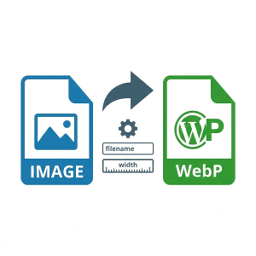
Convert JPEG, PNG, and GIF media library images to WebP from the WordPress dashboard.
20+ active installations
- Version
- 1.0.3
- WordPress
- 5.8+
- PHP
- 7.4+
- Updated
- 5 May 2026
WORDPRESS RESOURCES
Explore public plugin information from the official WordPress.org directory. Compare what a plugin does, its requirements and update history before adding it to your website.
Explore WordPress hosting →2,488 matching plugins reported by WordPress.org · Page 35 of 50
Source: WordPress.org
Data refreshed 29 Nov 2026 01:10 UTC
By Md Jubayer Hossain
Convert JPEG, PNG, and GIF media library images to WebP from the WordPress dashboard.
Automatically import external and remote images into your Media Library on save and rewrite the URLs to local copies. Built SSRF-safe.

By EsLaM Hamed
Compress and optimize your WordPress images locally — no API keys, no limits. Supports WebP, bulk optimization, and auto-optimize on upload.

By Clarivo
Detects AI-generated media by its metadata, allows manual marking and labels it visibly on request (Art. 50 EU AI Act).

By Admin Plugins
Local WebP optimizer for WordPress. Free converts images to WebP; Pro adds AVIF and site-wide image tools.
By haruyozzang
Intercepts image paste and drop in Gutenberg, converts them to WebP/PNG or keeps original formats, and inserts them into posts.

By imageresizer
Resize & compress images/photos to a target KB or max width. Free, unlimited, privacy-first — only in browser, no server, no API, no signup.

By nzlotrfan
Adds a drag-and-drop file upload field to WooCommerce checkout. Uploaded files are automatically attached to order confirmation emails.
Generate Featured Images automatically based on your post content (title, etc). Customize your featured image with the built in template editor.

By neoWP Media Image Plugins
Make an impression with animated line-path effects!

By neoWP Media Image Plugins
Make an impression with captivating stop-motion animations!

By Night Code Lab
Generate static QR codes directly inside your WordPress dashboard with live preview and downloadable PNG export.
CHOOSE WHAT YOUR WEBSITE NEEDS
Start with the task you need to solve. Compare features, WordPress and PHP requirements, update history and the author’s documentation. Test changes on a private copy and avoid adding several plugins for the same job.
This independent directory displays plugin information on WebFulHost and links to the official source. Packages are not mirrored or installed here. A plugin can include paid extensions or services with separate terms from its author.

