

Loginizer
By Softaculous
Loginizer is a WordPress security plugin which helps you fight against bruteforce attacks.
★ 4.8/5 (1,034)1,000,000+ active installations
- Version
- 2.1.4
- WordPress
- 3.0+
- PHP
- 5.5+
- Updated
- 19 Nov 2026
WORDPRESS RESOURCES
Explore public plugin information from the official WordPress.org directory. Compare what a plugin does, its requirements and update history before adding it to your website.
Explore WordPress hosting →10,000 matching plugins reported by WordPress.org · Page 35 of 50
Source: WordPress.org
Data refreshed 22 Nov 2026 13:30 UTC
By Softaculous
Loginizer is a WordPress security plugin which helps you fight against bruteforce attacks.

By WordPress.org
Enables the previous "classic" editor and the old-style Edit Post screen with TinyMCE, Meta Boxes, etc. Supports all plugins that extend this screen.

By rbplugins
Disable, hide, bulk-delete & auto-reply to comments and WooCommerce reviews — multisite-ready, with an AI Assistant PRO add-on.

By Extend Themes
Using the power of AI, Kubio gives you a head start by generating a first draft of your website, which you can further customize to your liking.
Harden your site security with Login Security, Two-Factor Authentication (2FA), Vulnerability Scanner, Firewall, and more. Formerly iThemes Security.

By Kevin Batdorf
Add a CSS editor to your blocks and patterns! Loads only where necessary. Supports adding global CSS too.

Show your team with blocks or shortcodes in Grid, Carousel, List, Isotope filter, and Org Chart layouts. Responsive, no code needed.
By Roland Murg
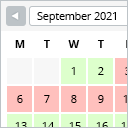
This booking calendar shows when something is booked or available. Use it to show when your holiday home is available for rent, for example.

By dudaster
Seven free modules for Elementor: dark mode, container layouts, mobile menu, editorial text, style presets, JSON editor — all modular, all free.

By YOP
The flexible WordPress poll plugin — rebuilt for speed, security, and ease of use.
Smart WordPress security that blocks bots automatically, guides you to what matters, and repairs problems — without drowning you in noise.
Highlight your company’s history, milestones, and key events directly inside Elementor using stunning vertical and horizontal timelines.
CHOOSE WHAT YOUR WEBSITE NEEDS
Start with the task you need to solve. Compare features, WordPress and PHP requirements, update history and the author’s documentation. Test changes on a private copy and avoid adding several plugins for the same job.
This independent directory displays plugin information on WebFulHost and links to the official source. Packages are not mirrored or installed here. A plugin can include paid extensions or services with separate terms from its author.


