

Control how published content is updated. Users submit revisions and duplicate posts. Editors can approve, reject or schedule those revisions.
★ 4.6/5 (66)10,000+ active installations
- Version
- 4.3.5
- WordPress
- 5.5+
- PHP
- 8.2+
- Updated
- 20 Nov 2026
WORDPRESS RESOURCES
Explore public plugin information from the official WordPress.org directory. Compare what a plugin does, its requirements and update history before adding it to your website.
Explore WordPress hosting →10,000 matching plugins reported by WordPress.org · Page 35 of 50
Source: WordPress.org
Data refreshed 23 Nov 2026 18:22 UTC
Control how published content is updated. Users submit revisions and duplicate posts. Editors can approve, reject or schedule those revisions.

By Inisev
Pop-up Popups

By WP Chill
Add support for special content types in your website, such as a portfolio, features, and slides.

By nachomd
Generate SEO content for WordPress with GPT models from OpenAI, DeepSeek and Gemini. Includes auto updates, translations, moderation, Yoast & WooC …

By ShortPixel
Easily replace any attached image/file by simply uploading a new file in the Media Library edit view - a real time saver!

By joppuyo
Completely remove "attachment" pages for WordPress media. Improve SEO and prevent conflicts between page and image permalinks.

Accept WeChat Pay, Alipay & UnionPay via Stripe with WooCommerce, MemberPress, LifterLMS & Simple Membership.

By webzoneit
Document the "why" behind your WordPress configuration choices, right inside the dashboard.

The easiest URL shortener, short links manager, and link tracking plugin. Fast and optimised for better redirects, affiliate links and click tracking.

By Daan van den Bergh
The original Google Fonts self-hosting plugin. Automagically caches your fonts locally — no configuration (or brains) required!
A responsive vertical image slider for WordPress with a modern, dependency-free engine, a built-in lightbox, and a native Gutenberg block — or the cla …
By Farhan Noor
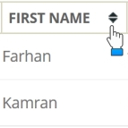
No more old static tables, make your HTML tables sortable.
CHOOSE WHAT YOUR WEBSITE NEEDS
Start with the task you need to solve. Compare features, WordPress and PHP requirements, update history and the author’s documentation. Test changes on a private copy and avoid adding several plugins for the same job.
This independent directory displays plugin information on WebFulHost and links to the official source. Packages are not mirrored or installed here. A plugin can include paid extensions or services with separate terms from its author.
