

Arvexa Loom Builder
By balloodn
Visual WordPress page builder with native fields, templates, SEO tools, WooCommerce widgets, and server-rendered output.
0+ active installations
- Version
- 1.7.2
- WordPress
- 6.0+
- PHP
- 7.4+
- Updated
- 29 Sep 2026
WORDPRESS RESOURCES
Explore public plugin information from the official WordPress.org directory. Compare what a plugin does, its requirements and update history before adding it to your website.
Explore WordPress hosting →746 matching plugins reported by WordPress.org · Page 36 of 50
Source: WordPress.org
Data refreshed 25 Nov 2026 22:48 UTC
By balloodn
Visual WordPress page builder with native fields, templates, SEO tools, WooCommerce widgets, and server-rendered output.

By waqaslatifwallah
Add unlimited, lightweight FAQs to any WooCommerce product, with an accordion frontend and automatic Schema.org FAQ markup.

By samiur6688
Create responsive image sliders in Elementor with multiple slides, overlays, navigation, buttons, and customization options.

By UX Design Experts
Free Elementor theme builder for custom headers, footers, and archive templates, plus 25+ useful widgets. No Elementor Pro required.

By Saubhik M
Duplicate WordPress content on a single site or synchronize content between WordPress Multisite sites.

By ByteCore Stack
Connect Claude, ChatGPT and other AI clients to WordPress with MCP, OAuth 2.0, and 360 tools for content, WooCommerce and SEO.
By htmgarcia
Give your Advanced Custom Fields groups a front-end design. Pick or create a theme, arrange the layout, and render your fields — no template code.

By Simrandeep Singh
Extend Elementor with 30+ powerful widgets, dynamic content tools, custom form fields, and smart extensions - all in one plugin.
By bobbingwide
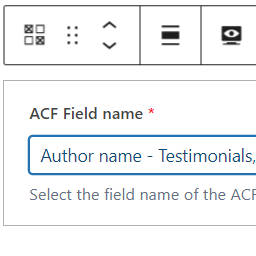
No code solution to display ACF fields using the ACF field block.

By Qevora Software
Build individual saved post loops and drag-and-drop cards with a real-post preview, AJAX filters and Elementor support.

By vikcheema
A lightweight and flexible restaurant menu plugin with custom post types, repeater fields, and Gutenberg block support.
Connect WordPress to any REST API. Configure endpoints, manage credentials securely, and display data using shortcodes or template functions.
CHOOSE WHAT YOUR WEBSITE NEEDS
Start with the task you need to solve. Compare features, WordPress and PHP requirements, update history and the author’s documentation. Test changes on a private copy and avoid adding several plugins for the same job.
This independent directory displays plugin information on WebFulHost and links to the official source. Packages are not mirrored or installed here. A plugin can include paid extensions or services with separate terms from its author.
