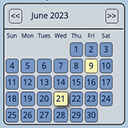
This plugin creates a block that can be added to any page or post. The block creates a calendar with selectable dates which then display a list of tim …
0+ active installations
- Version
- 2.0.0
- WordPress
- 6.1+
- PHP
- 7.0+
- Updated
- 26 Jun 2023
View plugin details ↗Make AcconsentoBot operational in one click
0+ active installations
- Version
- 1.0.6
- WordPress
- 4.2+
- PHP
- 7.4+
- Updated
- 23 May 2025
View plugin details ↗Real-time LTL freight quotes from Worldwide Express. Fifteen day free trial.
★ 5.0/5 (2)90+ active installations
- Version
- 5.2.17
- WordPress
- 6.4+
- PHP
- 7.4+
- Updated
- 4 Nov 2026
View plugin details ↗Veterinary foundation: patients, rooms, locations, and bookings with availability checks and REST API. Requires KennelFlow Core.
0+ active installations
- Version
- 0.2.9
- WordPress
- 6.2+
- PHP
- 7.4+
- Updated
- 13 Aug 2026
View plugin details ↗Add a payment button to your website and get paid instantly with vcita's Online Payments solution.
★ 4.2/5 (5)100+ active installations
- Version
- 3.30.0
- WordPress
- 4.6+
- Updated
- 16 Mar 2025
View plugin details ↗Real-time LTL freight quotes from FreightQuote. Fifteen day free trial.
80+ active installations
- Version
- 2.4.25
- WordPress
- 6.4+
- Updated
- 3 Nov 2026
View plugin details ↗Integrate Eventin with Tutor LMS to manage live classes, webinars, workshops, and course-related events. Display schedules, streamline registrations, …
20+ active installations
- Version
- 1.0.0
- WordPress
- 5.6+
- PHP
- 7.4+
- Updated
- 30 May 2026
View plugin details ↗Professional System for online self-booking appointment scheduling. This plugin will integrate The Booking Form from xcloud.
0+ active installations
- Version
- 1.0.5
- WordPress
- 4.2.2+
- PHP
- 5.5+
- Updated
- 14 Apr 2023
View plugin details ↗Real-time LTL freight quotes from UPS. Fifteen day free trial.
★ 5.0/5 (1)10+ active installations
- Version
- 3.6.14
- WordPress
- 6.5+
- Updated
- 4 Nov 2026
View plugin details ↗3veta Booking Page for WordPress allows you to embed your 3veta booking page to your WordPress website in a simple and easy way.
★ 5.0/5 (1)10+ active installations
- Version
- 1.0.1
- WordPress
- 4.9+
- PHP
- 7.0+
- Updated
- 9 Nov 2021
View plugin details ↗PushNinja is the best way to connect with your customers after they leave your website. Engage your customers, send automated push notifications and a …
0+ active installations
- Version
- 0.3
- WordPress
- 3.0.1+
- Updated
- 9 Dec 2022
View plugin details ↗Embed online appointment scheduling from Set a Time on your site.
10+ active installations
- Version
- 1.1.0
- WordPress
- 3.0.0+
- Updated
- 13 Jul 2021
View plugin details ↗