Upsell popup after add to cart, frequently bought together and a cart drawer with cross-sells. Shoppers add a second product in one click.
★ 5.0/5 (12)400+ active installations
- Version
- 3.7.0
- WordPress
- 6.6+
- PHP
- 7.4+
- Updated
- 31 Oct 2026
WORDPRESS RESOURCES
Explore public plugin information from the official WordPress.org directory. Compare what a plugin does, its requirements and update history before adding it to your website.
Explore WordPress hosting →4,757 matching plugins reported by WordPress.org · Page 36 of 50
Source: WordPress.org
Data refreshed 22 Nov 2026 15:12 UTC
Upsell popup after add to cart, frequently bought together and a cart drawer with cross-sells. Shoppers add a second product in one click.
By webtendhq
Show opening hours, a live Open/Closed badge, holiday hours and Schema.org markup with a block, widget, shortcode or Elementor widget.

By weather25
Beautiful weather forecast for any WordPress site. Block, widget and shortcode. Free, fast, responsive and no iframes.
The complete Elementor addons plugin: 55+ widgets for Elementor, Mega Menu Builder, Popup Builder, Widget Builder & Elementor Template Kits.

By Imtiaz Rayhan
Build popups, notification bars, and slide-in call to action campaigns with the block editor. Ready-made patterns, triggers, and targeting.

By ZephyrWest
Shows a list of recent posts from a category - with thumbnails, excerpt and a load more button. For posts, pages and the Site Editor.

By Sabuj Kundu
A complete changelog and release note manager for your digital products or releasable projects.

By AboveWP
Toggle between light and dark modes in your WordPress admin area with multiple themes, scheduling, and advanced customization options.

By HelgaTheViking
The KIA Subtitle plugin allows you to add a subtitle to your posts.

By Konrad Chmielewski
All-in-one enhancement suite that improves WordPress & Advanced Custom Fields.
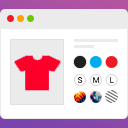
Variation swatches for WooCommerce that turn dropdowns into color, image, and label swatches. Easy WooCommerce color attribute and image attribute set …

By Mike McAlister
Create custom dropdown & mobile menus using WordPress blocks. Design rich, responsive navigation with any block content in the block editor.
CHOOSE WHAT YOUR WEBSITE NEEDS
Start with the task you need to solve. Compare features, WordPress and PHP requirements, update history and the author’s documentation. Test changes on a private copy and avoid adding several plugins for the same job.
This independent directory displays plugin information on WebFulHost and links to the official source. Packages are not mirrored or installed here. A plugin can include paid extensions or services with separate terms from its author.