

CoolClock
By Rolf Allard van Hagen
Show an analog clock on your WordPress site sidebar or in post and page content.
★ 4.7/5 (15)1,000+ active installations
- Version
- 4.3.10
- WordPress
- 5.8+
- PHP
- 5.6+
- Updated
- 2 Oct 2026
WORDPRESS RESOURCES
Explore public plugin information from the official WordPress.org directory. Compare what a plugin does, its requirements and update history before adding it to your website.
Explore WordPress hosting →10,000 matching plugins reported by WordPress.org · Page 36 of 50
Source: WordPress.org
Data refreshed 21 Nov 2026 02:53 UTC
By Rolf Allard van Hagen
Show an analog clock on your WordPress site sidebar or in post and page content.
All-in-one profile picture frame generator. Allows users to upload their photo, apply a frame, customize with zoom/rotate/bokeh, and download.

Widget Options gives you super powers to control your site’s sidebar widgets and all Gutenberg blocks on pages, posts & other custom post types.

By Diego Versiani
Fluid Checkout is a free WooCommerce checkout plugin to help more shoppers finish their order: easy for new buyers, fast for repeat orders.

By Jeff Farthing
Frontend login, registration and password reset pages that match your theme, at your own URLs, instead of the default wp-login.php screen.
By Cool Plugins
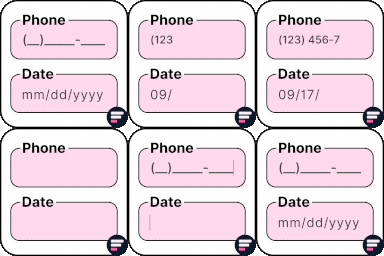
Add input masks to Elementor Pro or Hello Plus form fields - phone, date, time, credit card, CPF, CNPJ, CEP & more for accurate entries.

By WebToffee
The best order export import plugin for WooCommerce. Easily import and export WooCommerce orders and WooCommerce coupons using CSV.
Add icons to WordPress navigation menus easily — pick from Font Awesome, Dashicons, image icons & more. Style menu items with custom colors & sizes.

By nsp-code
Protect your website by concealing vulnerable WordPress traces, plugins, themes, login/admin url. 2FA, Captcha, Firewall, Security Headers etc.

By Syed Balkhi
Registers custom post types and custom fields for the Sydney theme
Duplicate Post RB makes it easy to duplicate posts, pages and custom post types. Create duplicate posts, clone content, automate duplication
Create custom "Shortcodes" easily for HTML, JavaScript, CSS code snippets and use the shortcodes within posts, pages & widgets
CHOOSE WHAT YOUR WEBSITE NEEDS
Start with the task you need to solve. Compare features, WordPress and PHP requirements, update history and the author’s documentation. Test changes on a private copy and avoid adding several plugins for the same job.
This independent directory displays plugin information on WebFulHost and links to the official source. Packages are not mirrored or installed here. A plugin can include paid extensions or services with separate terms from its author.



