

Copy Anything to Clipboard is the #1 WordPress copy-to-clipboard plugin trusted by 10,000+ active websites with 352,151+ downloads 🚀.
★ 4.5/5 (36)10,000+ active installations
- Version
- 5.5.5
- WordPress
- 4.4+
- PHP
- 5.6+
- Updated
- 23 Oct 2026
WORDPRESS RESOURCES
Explore public plugin information from the official WordPress.org directory. Compare what a plugin does, its requirements and update history before adding it to your website.
Explore WordPress hosting →3,181 matching plugins reported by WordPress.org · Page 36 of 50
Source: WordPress.org
Data refreshed 20 Nov 2026 23:11 UTC
Copy Anything to Clipboard is the #1 WordPress copy-to-clipboard plugin trusted by 10,000+ active websites with 352,151+ downloads 🚀.
By Ron Fredericks
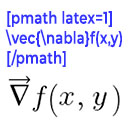
Render mathematical equations in WordPress as PNG images using pmath native syntax or LaTeX input with server-side rendering.

By Navneil Naicker
A lightweight extension of Advanced Custom Field (ACF) that adds Photo Gallery field to any post/pages on your WordPress website.

By Fernando Tellado
Search and replace text within Gutenberg text blocks directly from the block editor.

By cleverplugins
Google Search Console in WordPress: keyword insights, on-page SEO, internal links. AI via WordPress Connectors or SEO Booster Credits.

By Jeff Starr
Contact Coldform is a secure, lightweight and flexible contact form with plenty of options and squeaky clean markup.
Copies files to Amazon S3, DigitalOcean Spaces or Google Cloud Storage as they are uploaded to the Media Library. Optionally configure Amazon CloudFro …

By Booking Activities Team
Reservation system specialized in activities: sports, leisure, courses, events, tourism, and more! Works great with WooCommerce.
Tabs Block for Gutenberg – create responsive, accessible tabs using the WordPress Interactivity API.

By Gridly Design Overlay
Adds a responsive grid overlay to help check WordPress layouts during development.

The lightest contact form for WordPress. It's so essential you'll either love it or hate it. Ultra lightweight and no spam.

By jetmonsters
WordPress booking calendar plugin for daily, nightly, and hourly rentals.
CHOOSE WHAT YOUR WEBSITE NEEDS
Start with the task you need to solve. Compare features, WordPress and PHP requirements, update history and the author’s documentation. Test changes on a private copy and avoid adding several plugins for the same job.
This independent directory displays plugin information on WebFulHost and links to the official source. Packages are not mirrored or installed here. A plugin can include paid extensions or services with separate terms from its author.

