Osom Author Pro
By OsomPress
The Osom Author Pro plugin creates a library which allows you to add books to any WordPress theme.
★ 4.9/5 (10)1,000+ active installations
- Version
- 2.0
- WordPress
- 5.0+
- Updated
- 17 Sep 2026
WORDPRESS RESOURCES
Explore public plugin information from the official WordPress.org directory. Compare what a plugin does, its requirements and update history before adding it to your website.
Explore WordPress hosting →10,000 matching plugins reported by WordPress.org · Page 36 of 50
Source: WordPress.org
Data refreshed 25 Nov 2026 06:42 UTC
By OsomPress
The Osom Author Pro plugin creates a library which allows you to add books to any WordPress theme.

By Link Software LLC
Our White Label WordPress plugin lets you make a custom admin experience. Create a custom login page, a custom dashboard, and much more.

By Shiva Shanker Bhatta
Turn browsing into buying. Reduce checkout friction with a beautiful, high-performance floating minicart that keeps your customers focused on their pu …

By Marcel Bootsman
Display the 'Search Engines Discouraged' notification in the WordPress Toolbar if the blog_public option has been checked.

By morehawes
Create beautiful, interactive Maps with Waymark.

By Dear
This Breadcrumb will show the permalink url, also clickable all part
WpStream is a Video Streaming Plugin that lets you broadcast live events and helps you sell tickets or recordings via WooCommerce.

By ThemesVila
It will be enable Preloader on your web site. It includes 8 CSS3 preloader styles, image preloaders etc
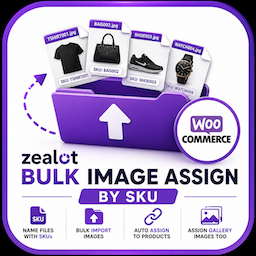
Fill entire product galleries and variation images from your media library by SKU. Preview every match before anything is written, and undo it after.
Swipe through beautiful sliders! Add images or text. Choose solid, gradient, or image backgrounds. Effortless & mobile-friendly!
Import free and pro Gutenberg and Elementor Templates for the Responsive WordPress theme.

By WP Titan Labs
Create WooCommerce product tables that are searchable, sortable, filterable and mobile responsive. Help customers find and buy products much faster.
CHOOSE WHAT YOUR WEBSITE NEEDS
Start with the task you need to solve. Compare features, WordPress and PHP requirements, update history and the author’s documentation. Test changes on a private copy and avoid adding several plugins for the same job.
This independent directory displays plugin information on WebFulHost and links to the official source. Packages are not mirrored or installed here. A plugin can include paid extensions or services with separate terms from its author.