Enhances the Media Library; powerful gallery and list shortcodes, full taxonomy support, IPTC/EXIF/XMP/PDF processing, bulk/quick edit.
★ 4.8/5 (202)70,000+ active installations
- Version
- 3.44
- WordPress
- 5.3.0+
- PHP
- 7.4+
- Updated
- 28 Oct 2026
View plugin details ↗Workflow tools for Bricks Builder: BEM classes, responsive viewport testing, CSS recipes, smart values and structure shortcuts.
★ 5.0/5 (3)300+ active installations
- Version
- 1.10.1
- WordPress
- 6.2+
- PHP
- 7.4+
- Updated
- 20 Nov 2026
View plugin details ↗Mosaic Gallery is an advanced plugin for creating stunning, responsive mosaic-style galleries with ease, offering customizable layouts and effects.
★ 4.0/5 (2)3,000+ active installations
- Version
- 1.2.2
- WordPress
- 5.4+
- PHP
- 5.2.4+
- Updated
- 7 Nov 2026
View plugin details ↗Adds a 'Custom Content Width' setting to the Settings > Media screen, to let users override their theme's content width.
★ 4.8/5 (8)900+ active installations
- Version
- 1.0.2
- WordPress
- 2.7+
- Updated
- 13 May 2026
View plugin details ↗Allows adding custom captions to the featured images of the posts.
★ 4.6/5 (22)5,000+ active installations
- Version
- 1.26
- Updated
- 27 Apr 2026
View plugin details ↗The ultimate WordPress translation solution with built-in language translator. Create multilingual content, switch languages, and translate your entir …
★ 3.8/5 (92)3,000+ active installations
- Version
- 1.5.3
- WordPress
- 6.4+
- Updated
- 8 Oct 2026
View plugin details ↗The most comprehensive cookie consent solution for WordPress. Automatically show consent banners based on visitor location with smart geolocation targ …
★ 5.0/5 (5)8,000+ active installations
- Version
- 1.14.5
- WordPress
- 5.0+
- PHP
- 7.2+
- Updated
- 6 Oct 2026
View plugin details ↗Easy Bootstrap Shortcode enable you to add bootstrap 3.0.3 styles in your pages, post and custom post in simplest manner.
★ 4.0/5 (50)6,000+ active installations
- Version
- 5.0.2
- WordPress
- 6.5+
- PHP
- 7.4+
- Updated
- 25 Aug 2026
View plugin details ↗The most powerful and user-friendly WordPress contact form plugin. Create beautiful contact forms, widgets and pages using shortcodes.
★ 4.0/5 (292)30,000+ active installations
- Version
- 4.4.1
- WordPress
- 6.5+
- Updated
- 19 Nov 2026
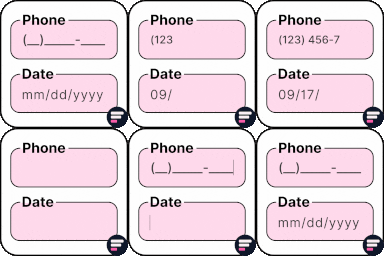
View plugin details ↗Apply input masks in Elementor form widget fields - phone, date, time, credit card, CPF, CNPJ, CEP & more for valid and error-free entries.
★ 4.5/5 (24)10,000+ active installations
- Version
- 4.4.5
- WordPress
- 5.0+
- PHP
- 7.2+
- Updated
- 1 Sep 2026
View plugin details ↗🚀 Create Stripe payment forms for WordPress. Accept credit cards, Apple Pay, donations, subscriptions & more. Easy setup, no coding needed!
★ 4.2/5 (26)8,000+ active installations
- Version
- 8.5.8
- WordPress
- 5.3+
- PHP
- 7.4+
- Updated
- 26 Oct 2026
View plugin details ↗Ajaxify Comments speeds up your comment section, allowing for lazy loading comments, instant comment posting, and seamless success and error messages.
★ 4.8/5 (91)3,000+ active installations
- Version
- 3.2.2
- WordPress
- 6.5+
- PHP
- 7.2+
- Updated
- 6 Sep 2026
View plugin details ↗