Connect your store to your Mailchimp audience to track sales, create targeted emails, send abandoned cart emails, and more.
★ 4.0/5 (726)200,000+ active installations
- Version
- 6.3
- WordPress
- 6.2+
- PHP
- 7.4+
- Updated
- 23 Sep 2026
View plugin details ↗A highly customizable, easy-to-use popular posts plugin!
★ 4.5/5 (249)100,000+ active installations
- Version
- 7.4.4
- WordPress
- 6.2+
- PHP
- 7.4+
- Updated
- 2 Nov 2026
View plugin details ↗Display dynamic, randomized images, background banners, and interactive image rotators in WordPress Block Editor (Gutenberg).
★ 3.8/5 (4)100+ active installations
- Version
- 1.2.0
- WordPress
- 5.8+
- PHP
- 7.0+
- Updated
- 8 Oct 2026
View plugin details ↗Secure your WordPress site from brute-force attacks, threats, malware, and bots. Free to use and easy to set up.
★ 4.5/5 (158)1,000,000+ active installations
- Version
- 1.7.0
- WordPress
- 4.7+
- PHP
- 7.0+
- Updated
- 4 Nov 2026
View plugin details ↗A WordPress plugin that makes it easy to create blog cards. Simply enter a URL and automatically fetch metadata to display beautiful cards.
★ 5.0/5 (2)100+ active installations
- Version
- 2.6.0
- WordPress
- 6.4+
- PHP
- 7.4+
- Updated
- 14 Nov 2026
View plugin details ↗Easily remove Google Fonts, disable Google Fonts loading, 👉🏻🗑️ or replace them with Bunny Fonts to boost privacy, speed, and GDPR compliance. 🔐
★ 4.3/5 (3)700+ active installations
- Version
- 1.8
- WordPress
- 5.0+
- PHP
- 5.6+
- Updated
- 13 Nov 2026
View plugin details ↗Want to boost sales & marketing efforts? Use your favorite forms & builder. Unlimited popups & impressions, keep your data, no monthly subscription.
★ 4.9/5 (4,517)600,000+ active installations
- Version
- 1.25.0
- WordPress
- 6.7+
- PHP
- 7.4+
- Updated
- 11 Sep 2026
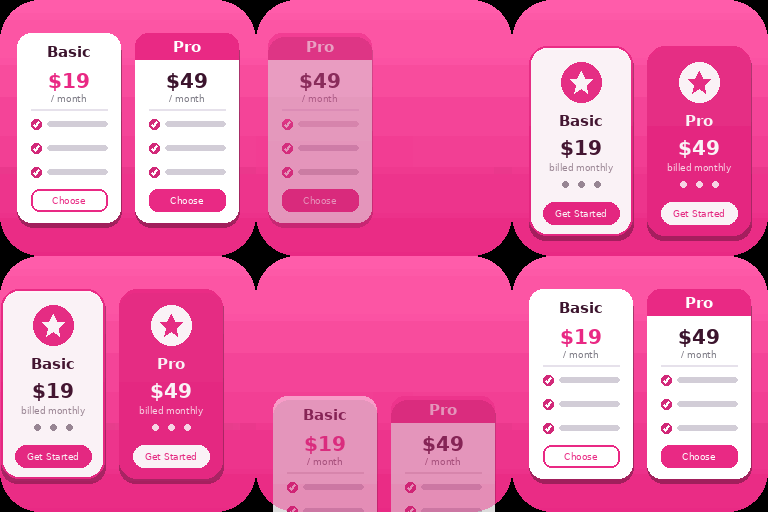
View plugin details ↗Create responsive WordPress pricing tables in Gutenberg with customizable plans, feature lists, CTA buttons, and clear pricing comparisons.
★ 5.0/5 (1)200+ active installations
- Version
- 1.2.0
- WordPress
- 6.5+
- PHP
- 7.4+
- Updated
- 8 Nov 2026
View plugin details ↗Elementor addons with 18+ free widgets, Header & Footer Builder, WooCommerce widgets & templates. Trusted by 2+ million websites.
★ 4.9/5 (2,529)2,000,000+ active installations
- Version
- 2.9.8
- WordPress
- 5.0+
- PHP
- 7.4+
- Updated
- 17 Nov 2026
View plugin details ↗An easy way to implement tooltip element in the WordPress Block Editor
★ 5.0/5 (6)100+ active installations
- Version
- 3.5.2
- WordPress
- 5.9+
- PHP
- 7.4+
- Updated
- 27 Aug 2026
View plugin details ↗Robo Gallery is a powerful image gallery and photo gallery plugin with advanced features to create responsive galleries with a beautiful lightbox
★ 4.3/5 (406)40,000+ active installations
- Version
- 5.2.6
- WordPress
- 3.3+
- Updated
- 6 Oct 2026
View plugin details ↗Disable right click, text selection and copy paste. Content copy protection for WordPress: protect text and images, prevent copying, add watermarks.
★ 4.2/5 (14)600+ active installations
- Version
- 2.0.4
- WordPress
- 5.5+
- PHP
- 7.4+
- Updated
- 6 Nov 2026
View plugin details ↗