PDF viewer for Elementor & Gutenberg
By Kaz Kadalashvili
Embed PDF files into Elementor and Gutenberg pages with the PDF.js viewer.
★ 5.0/5 (3)9,000+ active installations
- Version
- 1.5.0
- WordPress
- 6.3+
- PHP
- 7.4+
- Updated
- 24 Oct 2026
WORDPRESS RESOURCES
Explore public plugin information from the official WordPress.org directory. Compare what a plugin does, its requirements and update history before adding it to your website.
Explore WordPress hosting →7,195 matching plugins reported by WordPress.org · Page 37 of 50
Source: WordPress.org
Data refreshed 22 Nov 2026 16:54 UTC
By Kaz Kadalashvili
Embed PDF files into Elementor and Gutenberg pages with the PDF.js viewer.

By caterhamcomputing
Display WordPress child pages in a responsive grid or list using a shortcode, Gutenberg block or Elementor widget.

By kgmservizi
A recent posts widget you can filter by post type, post format, category, tag and author.
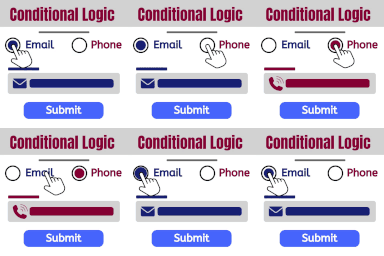
Show and hide fields. Send certain email, don't send others. Redirect to one of many pages. The possibilities are endless!

By Mainul Hassan
Filter WooCommerce products by category, tag, attribute, price, rating, author, meta fields, and keyword using AJAX.

By Matthias Nordwig
Invisible spam protection for every form, login and checkout. No puzzles, no checkboxes, no lost visitors — a CAPTCHA your users never see.

By Aslam Khan Gouran
Extension for WooCommerce to manage my account menus. Functionality to add/update/rename, show/hide, build multi-level menus.

By HeroThemes
Heroic Table of Contents is the easiest way to add a table of contents to your site.

By PluginUs.NET
FOX - Currency Switcher Professional for WooCommerce (former name is WOOCS) is currency plugin for woocommerce and multi currency shop, switch & pay

By Łukasz Nowicki
A lightweight Google Analytics plugin for WordPress. Paste your Measurement ID, choose head or footer — done.

By storeapps
WooCommerce stock management plugin to manage and edit product stock and their variables from a single dashboard. Stock log, import/export, filters!

By Konstantin Obenland
Adds a sortable "Last Login" column to the Users screen — spot inactive accounts and see who's actually using your site.
CHOOSE WHAT YOUR WEBSITE NEEDS
Start with the task you need to solve. Compare features, WordPress and PHP requirements, update history and the author’s documentation. Test changes on a private copy and avoid adding several plugins for the same job.
This independent directory displays plugin information on WebFulHost and links to the official source. Packages are not mirrored or installed here. A plugin can include paid extensions or services with separate terms from its author.