
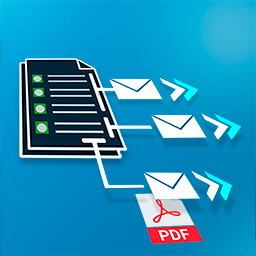
Supplier Order Email
By MCI Desarrollo
Sends an automatic order emails to the suppliers to send the corresponding products to the customer.
★ 4.9/5 (14)300+ active installations
- Version
- 3.6.16
- WordPress
- 4.6+
- PHP
- 7.0+
- Updated
- 17 Jun 2026
WORDPRESS RESOURCES
Explore public plugin information from the official WordPress.org directory. Compare what a plugin does, its requirements and update history before adding it to your website.
Explore WordPress hosting →718 matching plugins reported by WordPress.org · Page 37 of 50
Source: WordPress.org
Data refreshed 24 Nov 2026 08:46 UTC
By MCI Desarrollo
Sends an automatic order emails to the suppliers to send the corresponding products to the customer.

By mdempfle
Include content the way YOU like in an iframe that can hide and modify elements, does auto-height, forward parameters and does many, many more...

By SEO Squirrly
Become the brand AI recommends. SEO + AEO + GEO so your WordPress ranks on Google and gets cited by ChatGPT, Perplexity, Gemini & AI Overviews.

By Camille V
Version 2.3.5 Geolocate your posts and display them on an interactive OpenStreetMap map using a simple shortcode. Customize your markers and map.

By ILLID
Image sharing plugin for WordPress. Share exactly needed images with fully customizable content.
WP Fusion Lite synchronizes your WordPress users with contact records in your CRM or marketing automation system.

By niklaslindemann
Effortlessly mass generate unlimited SEO-optimized pages in bulk with LPagery. Boost traffic, save time, and grow your business in just 5 minutes!

By Adrian Tobey
Get more leads and sales with effective popups that convert! Integrate HollerBox with your favorite CRM and email marketing tools.

By Wisernotify team
Collect, manage, and display powerful product reviews and testimonials for WooCommerce stores. Boost trust and conversion with automated review collec …

By bjorntech
Keep WooCommerce and PayPal POS (formerly Zettle) in sync.

By milenfrom
Lightweight, automated SEO for WordPress.

By errorwebagency
AI-assisted translations for Loco Translate via WordPress AI Client, OpenRouter, Ollama, and custom OpenAI-compatible endpoints.
CHOOSE WHAT YOUR WEBSITE NEEDS
Start with the task you need to solve. Compare features, WordPress and PHP requirements, update history and the author’s documentation. Test changes on a private copy and avoid adding several plugins for the same job.
This independent directory displays plugin information on WebFulHost and links to the official source. Packages are not mirrored or installed here. A plugin can include paid extensions or services with separate terms from its author.
