
Powerful database explorer with table browser, advanced filters, relationship detection, and data export (CSV, JSON, Excel).
100+ active installations
- Version
- 1.0.3
- WordPress
- 5.8+
- PHP
- 7.4+
- Updated
- 13 Aug 2026
WORDPRESS RESOURCES
Explore public plugin information from the official WordPress.org directory. Compare what a plugin does, its requirements and update history before adding it to your website.
Explore WordPress hosting →1,014 matching plugins reported by WordPress.org · Page 37 of 50
Source: WordPress.org
Data refreshed 20 Nov 2026 18:27 UTC
Powerful database explorer with table browser, advanced filters, relationship detection, and data export (CSV, JSON, Excel).

By jakeparis
Integrate bestseller lists from the New York Times into your own site with a user-friendly interface.

By Nikhil G
Essential WordPress debug tool: View/download logs, toggle debug settings & inspect server info. Troubleshoot PHP errors & site issues faster!

By ConfigUX
Create 2D and 3D product configurators with live pricing, AR, quotes and PDFs. Connect WordPress pages or a WooCommerce cart.
Add a smart ChatGPT-powered AI chatbot to your WordPress site to automate support, answer FAQs, engage visitors 24/7, and escalate when needed.

By WriteText.ai
WooCommerce AI for SEO, AEO & GEO. Automate product content creation with smart templates, bulk generation, and full-site optimization.

By Muhammad Jawaid Shamshad
Sync car dealer inventory from any XML/CSV feed into WordPress. Field mapping, search & gallery. Multilingual; works with any theme or DMS.

By bdthemes
All-in-one admin toolkit: custom login URL, limit login attempts, duplicate posts, hide admin bar, disable comments, page cache and security headers.

By WordPress.org
Secure Custom Fields boosts content management with custom fields and options. It deactivates Advanced Custom Fields to prevent duplicate code errors.

By dashed-slug.net
Custodial cryptocurrency wallets.
FINAL LEGACY VERSION: Read-only maintenance version before 3ook.com transition. No new publishing features.
By liquiddrop
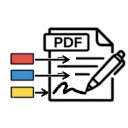
Updates Contact Form 7 with a signature field, fills out PDF's, and saves them to the website
CHOOSE WHAT YOUR WEBSITE NEEDS
Start with the task you need to solve. Compare features, WordPress and PHP requirements, update history and the author’s documentation. Test changes on a private copy and avoid adding several plugins for the same job.
This independent directory displays plugin information on WebFulHost and links to the official source. Packages are not mirrored or installed here. A plugin can include paid extensions or services with separate terms from its author.