

The drag and drop AI form builder for contact forms, multi-step forms, payment forms, quizzes, polls, surveys, calculators, and web apps.
★ 4.8/5 (1,392)300,000+ active installations
- Version
- 7.1.1
- WordPress
- 6.3+
- PHP
- 7.0+
- Updated
- 19 Nov 2026
WORDPRESS RESOURCES
Explore public plugin information from the official WordPress.org directory. Compare what a plugin does, its requirements and update history before adding it to your website.
Explore WordPress hosting →4,291 matching plugins reported by WordPress.org · Page 37 of 50
Source: WordPress.org
Data refreshed 24 Nov 2026 01:57 UTC
The drag and drop AI form builder for contact forms, multi-step forms, payment forms, quizzes, polls, surveys, calculators, and web apps.

Elementor addons: Elementor widgets, Elementor templates, 100+ widgets, 4 000+ templates, Mega Menu, Popup Builder, WooCommerce Builder, AI tools.
Google Maps with unlimited markers, custom icons, marker categories, clustering and map themes. Gutenberg block, Elementor widget, no coding.

By Northern Beaches Websites
WP GoToWebinar displays a listing or calendar of upcoming webinars using a shortcode or widget which can link to a registration form on your website.

By Hendra Setiawan
Embed Tally forms in WordPress with a block, shortcode or Elementor widget: inline, popup or slide-in, with a live preview in the editor.

By outlawgt
Build powerful custom forms with drag and drop. Saved entries, dashboard, signatures, Mailchimp, webhooks, and modern spam protection.

By 100plugins
Create custom interactive maps with free Leaflet-based styles, no Google Maps API key, frontend marker submissions, search and filters.
Create Announcement Bars, Notification Bars & Popup Campaigns with countdown timers, A/B testing, smart targeting & analytics.
A block for embedding a beautiful audio player.

By hashthemes
A sticky, slide-in Ajax cart for WooCommerce. Shoppers view, update and check out their cart without leaving the page.

By Kushang Tailor
Create attractive WooCommerce product category sections with flexible layouts, editor-friendly controls, and styling options that fit your store.
By Jory Hogeveen
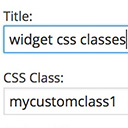
Add custom classes and ids plus first, last, even, odd, and numbered classes to your widgets.
CHOOSE WHAT YOUR WEBSITE NEEDS
Start with the task you need to solve. Compare features, WordPress and PHP requirements, update history and the author’s documentation. Test changes on a private copy and avoid adding several plugins for the same job.
This independent directory displays plugin information on WebFulHost and links to the official source. Packages are not mirrored or installed here. A plugin can include paid extensions or services with separate terms from its author.


