

Font Awesome
By fontawesome
The official way to use Font Awesome Free or Pro icons on your WordPress site, brought to you by the Font Awesome team.
★ 3.6/5 (61)400,000+ active installations
- Version
- 5.2.1
- WordPress
- 5.8+
- PHP
- 7.4+
- Updated
- 13 Aug 2026
WORDPRESS RESOURCES
Explore public plugin information from the official WordPress.org directory. Compare what a plugin does, its requirements and update history before adding it to your website.
Explore WordPress hosting →10,000 matching plugins reported by WordPress.org · Page 37 of 50
Source: WordPress.org
Data refreshed 22 Nov 2026 13:51 UTC
By fontawesome
The official way to use Font Awesome Free or Pro icons on your WordPress site, brought to you by the Font Awesome team.

By Extend Themes
Using the power of AI, Kubio gives you a head start by generating a first draft of your website, which you can further customize to your liking.

By jetmonsters
Smart event organizer and time-management tool with a clean minimalist design for featuring your timetables and upcoming events.

Feature-packed membership plugin for creating subscription plans, adding recurring payments & content restriction on your membership site.

Show your team with blocks or shortcodes in Grid, Carousel, List, Isotope filter, and Org Chart layouts. Responsive, no code needed.
Organize WordPress content into responsive tabbed sections with a Gutenberg block – multiple themes, icons, shortcodes, and advanced tab layouts.

By YITHEMES
Increase average order value by letting your customers purchase additional options on your products.

By Christoph Vielgrader
Relevanssi replaces the default search with a partial-match search that sorts results by relevance. It also indexes comments and shortcode content.

By DediData
Advanced Classic Editor - Your powerful WordPress editor, Insert many Icons, Insert Table of contents, etc.

By wpbranddigital
Gutenberg logo carousel block. Show client & partner logos with slider, grid, masonry, multi-row layouts, tooltips, and full style controls.
By Roland Murg
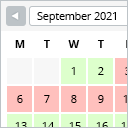
This booking calendar shows when something is booked or available. Use it to show when your holiday home is available for rent, for example.

By Andrei Strekozov
8 post grid and post carousel slider widgets for Elementor. Filter by category, tag or author, with load more and pagination.
CHOOSE WHAT YOUR WEBSITE NEEDS
Start with the task you need to solve. Compare features, WordPress and PHP requirements, update history and the author’s documentation. Test changes on a private copy and avoid adding several plugins for the same job.
This independent directory displays plugin information on WebFulHost and links to the official source. Packages are not mirrored or installed here. A plugin can include paid extensions or services with separate terms from its author.
