

WP Customer Area
By Aguila Technologies
WP Customer Area is a modular all-in-one solution to manage private content with WordPress.
★ 4.0/5 (89)10,000+ active installations
- Version
- 8.4.6
- WordPress
- 5.0+
- PHP
- 7.2+
- Updated
- 18 Nov 2026
WORDPRESS RESOURCES
Explore public plugin information from the official WordPress.org directory. Compare what a plugin does, its requirements and update history before adding it to your website.
Explore WordPress hosting →1,031 matching plugins reported by WordPress.org · Page 37 of 50
Source: WordPress.org
Data refreshed 27 Nov 2026 16:23 UTC
By Aguila Technologies
WP Customer Area is a modular all-in-one solution to manage private content with WordPress.

By dreamfoxmedia
Set WooCommerce product prices and discounts per user role. Wholesale, B2B and customer-specific pricing made easy.

By Melograno Venture Studio
Trafft is a next-level booking system offering limitless opportunities for scheduling appointments and managing your calendar & all of your bookings.

By Ricardo Sawir
Create custom user roles and manage capabilities for new and existing WordPress roles.

By Resonanz Digital
This plugin allows you to limit the access to specific pages and posts to certain user roles only.
Sell memberships, take payments, protect content and manage user roles — all in one free plugin.
By PI Web Solution
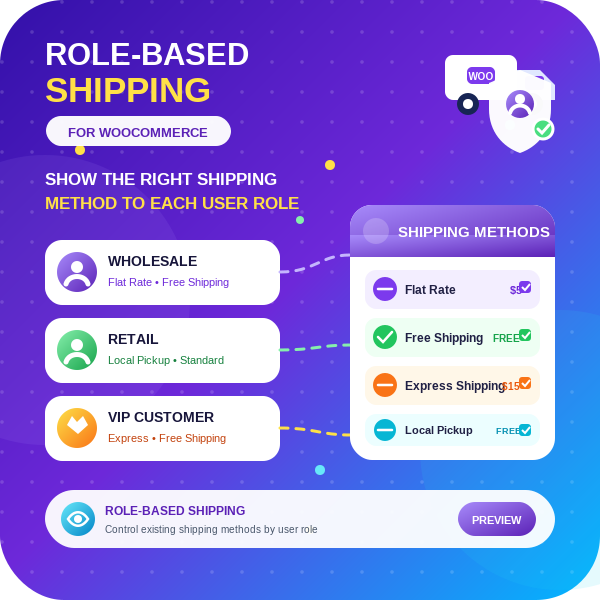
Role Based Shipping for WooCommerce plugin allows you to set up shipping methods based on user roles in your WooCommerce store.

By Nazmul Sabuz
Upload files into WordPress media library from front-end with drag-and-drop functionality and customizable options.

By WP Hosting AS
Login with Vipps and MobilePay is the easiest way to sign in and create an account. No need to worry about usernames and passwords.

By frontmanai
Update an existing WordPress site with AI beside a live preview. Select a page element, describe the change, and review the result.

By Stachethemes
Let customers select and reserve exact seats or tables in WooCommerce, prevent double bookings during checkout, and validate entry with QR tickets.

By gt3dmakers
Reserve pages for the user roles you choose, right from the page editor or Elementor. Menus update themselves for each user.
CHOOSE WHAT YOUR WEBSITE NEEDS
Start with the task you need to solve. Compare features, WordPress and PHP requirements, update history and the author’s documentation. Test changes on a private copy and avoid adding several plugins for the same job.
This independent directory displays plugin information on WebFulHost and links to the official source. Packages are not mirrored or installed here. A plugin can include paid extensions or services with separate terms from its author.
