
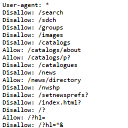
Multipart robots.txt editor
By Viktor Szépe
Customize your site's robots.txt and include remote content to it
★ 3.3/5 (3)1,000+ active installations
- Version
- 0.4.0
- WordPress
- 4.7+
- Updated
- 17 Feb 2018
WORDPRESS RESOURCES
Explore public plugin information from the official WordPress.org directory. Compare what a plugin does, its requirements and update history before adding it to your website.
Explore WordPress hosting →447 matching plugins reported by WordPress.org · Page 37 of 38
Source: WordPress.org
Data refreshed 28 Nov 2026 21:05 UTC
By Viktor Szépe
Customize your site's robots.txt and include remote content to it

By magnatechnology
A responsive HTML sitemap that uses all of the settings for your XML sitemap in the WordPress SEO by Yoast Plugin.

By CentEDI s.r.o.
The main goal of CentEDI extension is to provide a simple way to create & fill products with data.

By Christopher Churchill
Scan your site for youtube links in both post content and meta tags and create a xml video sitemap file on the fly.

By kswebads
Are you looking for an easy way to analyze your wordpress site in order to avoid common SEO pitfalls? No need to hire a SEO specialist, with Easy SEO …

By garyeagle001
Momentum is a simple plugin to repost any page with new content appended daily.

By Joshua Trimm
Custom Schema.org Structured Data for SEO Search Engine Optimization

By OrderStorm
Cloud e-commerce with robust order management, automated drop-ship POs, quotes, digital downloads, automotive applications and sports camp management

By phuvf
This plugin embeds yacht listings from the SmartBroker service into your WordPress site. Requires a SmartBroker subscription.

By amattie
This plugin allows WordPress to load data from a number of neighborhood-related APIs to be presented on a single page or within your own pages / posts …

By Creative Modules
This plugin will generate a special video XML sitemap which will help search engines rank you better.

By Artem Livshits
Now WordPress site can store all its content (pages and media) in cloud. This makes site powered by enormous scale and reliability of cloud storage.
CHOOSE WHAT YOUR WEBSITE NEEDS
Start with the task you need to solve. Compare features, WordPress and PHP requirements, update history and the author’s documentation. Test changes on a private copy and avoid adding several plugins for the same job.
This independent directory displays plugin information on WebFulHost and links to the official source. Packages are not mirrored or installed here. A plugin can include paid extensions or services with separate terms from its author.