KIA Subtitle
By HelgaTheViking
The KIA Subtitle plugin allows you to add a subtitle to your posts.
★ 5.0/5 (18)7,000+ active installations
- Version
- 4.1.0
- WordPress
- 6.3+
- Updated
- 21 Oct 2026
WORDPRESS RESOURCES
Explore public plugin information from the official WordPress.org directory. Compare what a plugin does, its requirements and update history before adding it to your website.
Explore WordPress hosting →5,289 matching plugins reported by WordPress.org · Page 38 of 50
Source: WordPress.org
Data refreshed 25 Nov 2026 22:04 UTC
By HelgaTheViking
The KIA Subtitle plugin allows you to add a subtitle to your posts.
Grow your traffic with AI-powered SEO, local listings, review management, social media & Google Ads — all inside WordPress.

By Naiche
A clean, lightweight dark mode for the WordPress admin dashboard.

By DELUCKS
The only SEO plugin from Germany for holistic search engine optimization with ChatGPT and Google APIs.

By Johan van der Wijk
This plugin enables you to edit and display Content Blocks in a sidebar widget or using a shortcode.

By Evan Mattson
Adds the last modified time to the admin interface as well as a [last-modified] shortcode to use on the front-end.
Enable visitors to submit posts and images from the front-end of your site. Many features including anti-spam security, content restriction, and more.

By BeautifulPlugins
Advanced Gutenberg blocks for creating beautiful, modern and eye-catching WordPress pages in the block editor.
AI content generator for WordPress. Generate SEO-ready blog posts, titles, and tags in one click using Claude, GPT-4o, Gemini, Groq, and more — free.
By Saidul Islam Bokul
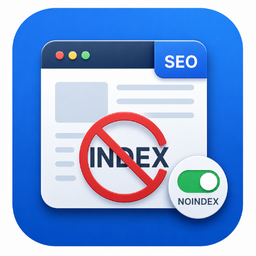
Exclude any post, page, or archive from search engines with one toggle — plus a built-in verifier that proves the tag is really live.

By editorinsights
See useful Elementor metadata at a glance and improve your editing workflow with smarter Navigator and Panel insights.
Manage WordPress from Claude or ChatGPT with a free MCP server: posts, WooCommerce, SEO and Elementor. AI chatbot and content writer included.
CHOOSE WHAT YOUR WEBSITE NEEDS
Start with the task you need to solve. Compare features, WordPress and PHP requirements, update history and the author’s documentation. Test changes on a private copy and avoid adding several plugins for the same job.
This independent directory displays plugin information on WebFulHost and links to the official source. Packages are not mirrored or installed here. A plugin can include paid extensions or services with separate terms from its author.