Accept payments, subscriptions, and donations on WordPress with Stripe, PayPal, and more — invoices included, no store or cart required.
★ 4.7/5 (18)100+ active installations
- Version
- 3.4.0
- WordPress
- 6.0+
- PHP
- 8.1+
- Updated
- 14 Oct 2026
WORDPRESS RESOURCES
Explore public plugin information from the official WordPress.org directory. Compare what a plugin does, its requirements and update history before adding it to your website.
Explore WordPress hosting →801 matching plugins reported by WordPress.org · Page 38 of 50
Source: WordPress.org
Data refreshed 29 Nov 2026 11:41 UTC
Accept payments, subscriptions, and donations on WordPress with Stripe, PayPal, and more — invoices included, no store or cart required.
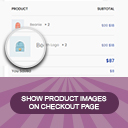
Display Product Images on Checkout Page.

By add-ons.org
Gravity Forms Signature Field add-on makes it easy for users to sign your forms online using a touchscreen or mouse.

By HostJane, Inc.
Accept payments for your work with HostJane, a fast-growing marketplace for freelance services and web hosting provider.

By MelonAfrica
Accept payments through Melon Wallet and Payment Gateway (Paga) with complete OTP verification and wallet balance checking.

By Thomas Schiffler
Sell your photos from WordPress: create client galleries, set your own prices, and let customers order prints, wall art and downloads.

By griffnode
Accept Bitcoin, Ethereum, Litecoin, Dogecoin and stablecoins in WooCommerce. Non-custodial, no chargebacks - funds go to your own wallet.

By startbutton
Startbutton for WooCommerce allows your store in Africa to accept secure payments from multiple local and global payment channels.

By blocksmonster
Blocks Monster – Gutenberg Blocks, Elementor Widgets, Landing Page Builder, WooCommerce Enhancer

By kylekonstnar
Accept payments anywhere on your WordPress site with HandyPay. Drop a button, share a payment link, manage everything from one dashboard.
A manual payment gateway for FluentCart: Mobile Banking (bKash, Nagad, Rocket), Bank Transfer with slip upload, and Crypto (RedotPay).

By Andrés Vega
Accept Nequi payments in WooCommerce. Show your Nequi number to customers with step-by-step instructions to complete the transfer.
CHOOSE WHAT YOUR WEBSITE NEEDS
Start with the task you need to solve. Compare features, WordPress and PHP requirements, update history and the author’s documentation. Test changes on a private copy and avoid adding several plugins for the same job.
This independent directory displays plugin information on WebFulHost and links to the official source. Packages are not mirrored or installed here. A plugin can include paid extensions or services with separate terms from its author.