
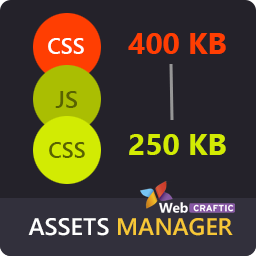
Increase the speed of the pages by disabling unused scripts (.JS) and styles (.CSS). Make your website REACTIVE!
★ 4.3/5 (53)1,000+ active installations
- Version
- 2.2.5
- WordPress
- 5.6+
- PHP
- 7.2+
- Updated
- 16 Nov 2026
WORDPRESS RESOURCES
Explore public plugin information from the official WordPress.org directory. Compare what a plugin does, its requirements and update history before adding it to your website.
Explore WordPress hosting →10,000 matching plugins reported by WordPress.org · Page 38 of 50
Source: WordPress.org
Data refreshed 24 Nov 2026 03:59 UTC
Increase the speed of the pages by disabling unused scripts (.JS) and styles (.CSS). Make your website REACTIVE!

By yonifre
Blocks spam the moment you activate it. No CAPTCHA, no setup, no API key. Multi-Layer. Just install and forget.

By Element Invader
Ready to use Elementor Addon Elements like Menu, Forms, Maps, Newsletter with many styling options

By shinystat
Plugin to activate the ShinyStat Analytics services on your website.

All-in-one Elementor marquee addon for scrolling text, images, posts, testimonials, cryptocurrency price ticker, and news ticker widgets.

Enable users to submit posts and manage profiles from the front-end. Ideal for news, magazines, and creative platforms.

By Patchstack
Patchstack automatically identifies and mitigates security vulnerabilities in WordPress plugins, themes, and core.

By Mohammadreza Ahm
Convert WordPress dates to Jalali calendar with Gutenberg support, Persian digits, and 3rd-party plugin integrations.

By Gerard Blanco
Checks the autoloaded data size and lists the top autoloaded data entries sorted by size.

By Glen Don Mongaya
Drag and Drop Multiple File Uploader is a simple, straightforward WordPress plugin extension for WooCommerce.
The #1 eCommerce plugin to sell digital products & subscriptions. Accept payments with Stripe & PayPal. Sell ebooks, software & more.
Thim Elementor Kit is a plugin which supports users to build theme, layout, page, post, product, Woocommerce, LearnPress, courses with Elementor.
CHOOSE WHAT YOUR WEBSITE NEEDS
Start with the task you need to solve. Compare features, WordPress and PHP requirements, update history and the author’s documentation. Test changes on a private copy and avoid adding several plugins for the same job.
This independent directory displays plugin information on WebFulHost and links to the official source. Packages are not mirrored or installed here. A plugin can include paid extensions or services with separate terms from its author.

