

FSM Custom Featured Image Caption
By Fesomia
Allows adding custom captions to the featured images of the posts.
★ 4.6/5 (22)5,000+ active installations
- Version
- 1.26
- Updated
- 27 Apr 2026
WORDPRESS RESOURCES
Explore public plugin information from the official WordPress.org directory. Compare what a plugin does, its requirements and update history before adding it to your website.
Explore WordPress hosting →3,041 matching plugins reported by WordPress.org · Page 38 of 50
Source: WordPress.org
Data refreshed 28 Nov 2026 17:49 UTC
By Fesomia
Allows adding custom captions to the featured images of the posts.
Heatmaps, session recordings, funnels, form analytics, and Discovery AI that show why WordPress visitors leave and what to fix first.

By HelgaTheViking
Replace the default taxonomy boxes with a custom metabox that uses radio buttons... effectively limiting each post to a single term in that taxonomy.

By Ziyad Bachalany
Turn your WordPress site into a Web App (PWA) with a stylish 'Add to Home Screen' prompt for iOS & Android. Boost engagement without native app costs!
Build 2D and 3D product configurators for WooCommerce. Customers design their product with a live preview, then buy it or request a quote.

By urryes
A real WordPress page for every person of your family tree, made from a GEDCOM file: photos, maps, sources, search and a front page for the tree.

By David Anderson / Team Updraft
Protect your WordPress site with All-In-One Security (AIOS): easy-to-use login security, a powerful firewall, and much more.

By Richard Perdaan
Export your WooCommerce orders to MyParcel (www.myparcel.nl) and print labels directly from the WooCommerce admin

Elementor addons: Elementor widgets, Elementor templates, 100+ widgets, 4 000+ templates, Mega Menu, Popup Builder, WooCommerce Builder, AI tools.

By Daniel Floeter
Make a group of blocks clickable: wrap a card, teaser or post tile with one link (<a>).

By WebsiteVoice
Text to speech WordPress plugin that turns your posts into audio articles with natural AI voices in 38 languages. 14-day free trial, no card needed.
By Web Builder 143
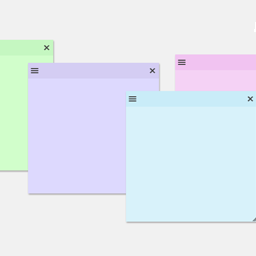
Create sticky notes in your WP admin for reminders and to-dos. Restrict notes by user roles and disable them on specific pages.
CHOOSE WHAT YOUR WEBSITE NEEDS
Start with the task you need to solve. Compare features, WordPress and PHP requirements, update history and the author’s documentation. Test changes on a private copy and avoid adding several plugins for the same job.
This independent directory displays plugin information on WebFulHost and links to the official source. Packages are not mirrored or installed here. A plugin can include paid extensions or services with separate terms from its author.

