

NoviTaps
By novissium
Accessible, responsive navigation from your WordPress menus as a block, shortcode or Elementor widget, with a hamburger menu on phones.
0+ active installations
- Version
- 1.0.6
- WordPress
- 6.6+
- PHP
- 7.4+
- Updated
- 26 Nov 2026
WORDPRESS RESOURCES
Explore public plugin information from the official WordPress.org directory. Compare what a plugin does, its requirements and update history before adding it to your website.
Explore WordPress hosting →782 matching plugins reported by WordPress.org · Page 39 of 50
Source: WordPress.org
Data refreshed 29 Nov 2026 08:12 UTC
By novissium
Accessible, responsive navigation from your WordPress menus as a block, shortcode or Elementor widget, with a hamburger menu on phones.

By Karma Softudio
Build a beautiful help center: nested articles and categories, a drag & drop builder, instant search, table of contents, feedback and more.

By erryn.io
Add a fast reading progress bar and automatic table of contents to WordPress posts and pages.
By jarencudilla
Inline post cards that read like ads, link like content. Image-dominant related post cards injected automatically into your content.

By WPDeveloper
Add a customizable, SEO-friendly Table of Contents block to WordPress posts & pages — auto-generated from your headings in the Block Editor.

By Init HTML
Zero-DB, zero-external-JS honeypot anti-spam for WordPress comments, core forms, and popular form plugins. Invisible to humans, a void to bots.

By AriHub
A fast, accessible table of contents. Automatic, block, shortcode or widget. Works on block themes, paginated posts and without jQuery.
By karasunouta
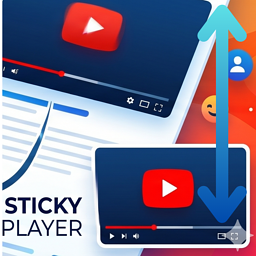
Automatically float YouTube videos on scroll as a sticky video. Features picture in picture floating video and smooth youtube scroll follow.

By Acato
Templates for the WordPress Block Editor.

By WpFlexify
Build responsive layouts and show dynamic post content with container, text, heading, image, button, icon, and Offcanvas blocks.
Skip the cart: direct checkout, Buy Now button, add to cart redirect to checkout, COD quick order popup, conversion analytics and AI insights in Pro.

By Beplus
Build mega menu panels visually with the WordPress block editor: per-item settings, starter templates, and accessible front-end output.
CHOOSE WHAT YOUR WEBSITE NEEDS
Start with the task you need to solve. Compare features, WordPress and PHP requirements, update history and the author’s documentation. Test changes on a private copy and avoid adding several plugins for the same job.
This independent directory displays plugin information on WebFulHost and links to the official source. Packages are not mirrored or installed here. A plugin can include paid extensions or services with separate terms from its author.
