Block Logic adds a "Block Logic" field to the block editor, that lets you show or hide any block based on conditions.
★ 5.0/5 (13)300+ active installations
- Version
- 2.1.6
- WordPress
- 6.5+
- PHP
- 8.0+
- Updated
- 30 May 2026
View plugin details ↗Create a beautiful Photo Gallery, Image Gallery, or Portfolio. Use Simple Shortcodes and it Supports Gutenberg Block and Elementor Widget.
★ 5.0/5 (8)1,000+ active installations
- Version
- 2.0.6
- WordPress
- 5.0+
- PHP
- 7.4+
- Updated
- 20 Aug 2026
View plugin details ↗Create quizzes and flashcard decks using an interactive WYSIWYG editor; record scores
★ 5.0/5 (11)100+ active installations
- Version
- 4.05
- Updated
- 24 Nov 2026
View plugin details ↗Offer free gifts automatically in WooCommerce! Set up smart rules based on cart value, items, or user roles — fully supports WooCommerce Blocks.
★ 5.0/5 (4)700+ active installations
- Version
- 1.2.0
- WordPress
- 6.0+
- PHP
- 7.4+
- Updated
- 24 Nov 2026
View plugin details ↗Preload or prefetch images, site-wide or per page, for a faster page loading experience.
★ 4.6/5 (8)900+ active installations
- Version
- 1.3.0
- WordPress
- 6.1+
- PHP
- 7.4+
- Updated
- 6 Nov 2026
View plugin details ↗A slider and carousel block for images, videos and any blocks on top: hero sliders, content carousels and fullscreen background sliders.
★ 4.0/5 (65)10,000+ active installations
- Version
- 7.3.8
- WordPress
- 6.6+
- PHP
- 7.4+
- Updated
- 4 Nov 2026
View plugin details ↗Light weight Front-end login form, User Registration, User Profile and Members Directory plugin.
★ 4.7/5 (183)10,000+ active installations
- Version
- 1.2.84
- WordPress
- 6.1+
- Updated
- 25 Nov 2026
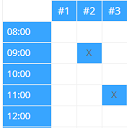
View plugin details ↗Create configurable occupancy schedules and let visitors view, request and manage bookings directly in the WordPress frontend.
★ 5.0/5 (5)100+ active installations
- Version
- 1.7.1
- WordPress
- 4.9+
- PHP
- 5.3+
- Updated
- 22 Nov 2026
View plugin details ↗Convert WordPress dates to the Jalali (Shamsi) calendar, with Persian digits and correct Persian date formatting.
★ 5.0/5 (1)70+ active installations
- Version
- 1.7.2
- WordPress
- 5.8+
- PHP
- 7.4+
- Updated
- 23 Nov 2026
View plugin details ↗Find text in WordPress posts, pages, Elementor, Site Editor templates, patterns, navigation, and custom post types.
★ 5.0/5 (1)70+ active installations
- Version
- 1.0.2
- WordPress
- 7.0+
- PHP
- 8.0+
- Updated
- 29 Sep 2026
View plugin details ↗
By CWILL Order Tracking Development Team
Free Plan Available. Order Tracking, Shipment Tracking. The best WooCommerce Order Tracker for Track Order Status & Delivery Notifications
★ 4.9/5 (539)7,000+ active installations
- Version
- 4.6.4
- WordPress
- 5.8+
- PHP
- 7.2+
- Updated
- 18 Nov 2026
View plugin details ↗Instead of installing a million plugins to disable features you don't want, why not use just ONE plugin?
★ 5.0/5 (6)900+ active installations
- Version
- 4.0.4
- WordPress
- 7.0+
- PHP
- 8.2+
- Updated
- 10 Jul 2026
View plugin details ↗