Herzog Dupont for YOOtheme Pro is an extension for the YOOtheme Pro page builder which adds more elements to the element library.
★ 5.0/5 (7)4,000+ active installations
- Version
- 1.11.0
- WordPress
- 5.4+
- PHP
- 8.2+
- Updated
- 22 Nov 2026
View plugin details ↗Display high-converting newsletter popups, a cookie notice, or a notification with the light-weight yet feature-rich plugin.
★ 4.0/5 (9)50,000+ active installations
- Version
- 1.2.4
- WordPress
- 4.0+
- PHP
- 5.4+
- Updated
- 11 Jul 2026
View plugin details ↗All-in-one Elementor marquee addon for scrolling text, images, posts, testimonials, cryptocurrency price ticker, and news ticker widgets.
1,000+ active installations
- Version
- 1.2.3
- WordPress
- 5.8+
- PHP
- 7.4+
- Updated
- 24 Aug 2026
View plugin details ↗Get a fast contact form plugin. Create advanced forms using drag and drop form builder with all smart features.
★ 4.8/5 (812)800,000+ active installations
- Version
- 6.2.17
- WordPress
- 6.4+
- PHP
- 7.4+
- Updated
- 2 Nov 2026
View plugin details ↗Instagram feed plugin for WordPress. Turn Instagram posts, Reels and galleries into live social proof for a fresh, active, and trusted site.
★ 5.0/5 (17)9,000+ active installations
- Version
- 3.0.4
- WordPress
- 5.6+
- PHP
- 7.4+
- Updated
- 13 Jul 2026
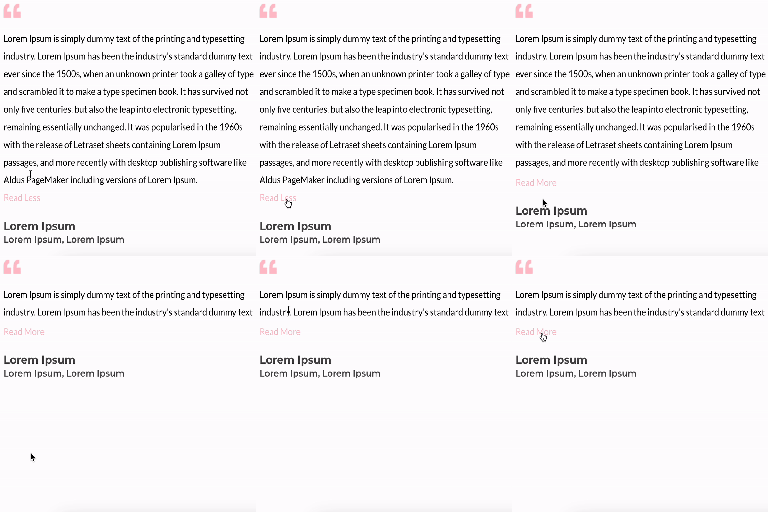
View plugin details ↗Unfold Text is a straightforward yet powerful add-on for Elementor that allows you to expand and collapse text with ease.
★ 4.6/5 (7)3,000+ active installations
- Version
- 1.2.1
- WordPress
- 6.0+
- PHP
- 7.0+
- Updated
- 8 Jul 2026
View plugin details ↗
By WPMU DEV - Your All-in-One WordPress Platform
Broken Link Checker helps you catch broken links & images fast, before they hurt your SEO or UX. Scan and bulk-fix issues from one easy dashboard.
★ 3.8/5 (604)500,000+ active installations
- Version
- 2.4.15.1
- WordPress
- 6.2+
- PHP
- 7.4+
- Updated
- 17 Nov 2026
View plugin details ↗This awesome plugin allows you to easily display frontend forms on your site so your clients can easily edit content by themselves from the frontend.
★ 4.5/5 (160)8,000+ active installations
- Version
- 3.30.4
- WordPress
- 6.5+
- PHP
- 5.6.0+
- Updated
- 15 Nov 2026
View plugin details ↗Advanced Elementor addons plugin with widgets, WooCommerce builder, mega menu, popup builder and Elementor template kits for faster website design.
★ 4.8/5 (4)6,000+ active installations
- Version
- 1.0.38
- WordPress
- 5.0+
- PHP
- 7.4+
- Updated
- 18 Jul 2026
View plugin details ↗To Top is a nifty lightweight plugin. It adds a highly customizable button, which when clicked, scrolls up smoothly to the top of a page.
★ 4.8/5 (54)60,000+ active installations
- Version
- 3.3
- WordPress
- 5.9+
- PHP
- 7.4+
- Updated
- 16 Nov 2026
View plugin details ↗Make an impression with your customers and represent your brand well by customizing the design and content of your email
★ 5.0/5 (3)700+ active installations
- Version
- 3.0.1
- WordPress
- 2.5+
- Updated
- 21 Aug 2026
View plugin details ↗List the most recent posts with post titles, thumbnails, excerpts, authors, categories, dates and more!
★ 4.8/5 (215)100,000+ active installations
- Version
- 7.2.0
- WordPress
- 4.6+
- PHP
- 5.6+
- Updated
- 10 Oct 2026
View plugin details ↗