

Waymark
By morehawes
Create beautiful, interactive Maps with Waymark.
★ 5.0/5 (55)900+ active installations
- Version
- 1.8.5
- WordPress
- 6.4+
- PHP
- 8.3+
- Updated
- 21 Nov 2026
WORDPRESS RESOURCES
Explore public plugin information from the official WordPress.org directory. Compare what a plugin does, its requirements and update history before adding it to your website.
Explore WordPress hosting →7,098 matching plugins reported by WordPress.org · Page 39 of 50
Source: WordPress.org
Data refreshed 22 Nov 2026 22:39 UTC
By morehawes
Create beautiful, interactive Maps with Waymark.
By Cool Plugins
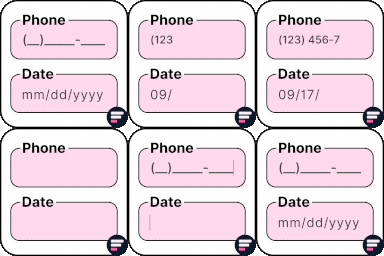
Add input masks to Elementor Pro or Hello Plus form fields - phone, date, time, credit card, CPF, CNPJ, CEP & more for accurate entries.
This Social Share Plugin adds advanced social media sharing buttons to your WordPress sites, such as Facebook, WhatsApp, X, LinkedIn, & Pinterest.

By Cool Plugins
AI Translation For Polylang simplifies your translation process by automatically translating all pages/posts content from one language to another.

By WPSuperiors Developer
Auto apply extra amount on woocommerce checkout based on payment gateway, shipping, product category, product type, and individual product.

By YITHEMES
YITH WooCommerce Ajax Search allows your users to search products in real time.
All in one WordPress plugin - accessibility, tag manager, notes, floating contact buttons, back to top, cookie bar and more.

High-converting popup campaigns with PopupKit – advanced triggers, A/B testing, spin-to-win, multistep popups & 270+ popup templates for WordPress

Export WooCommerce products, orders, users and any WordPress content to CSV, XML, Excel or Google Sheets file. Bulk export posts, pages, custom post t …

By PublishPress
The PublishPress Statuses plugin allows you to create additional statuses for your posts. You can use each status to create publishing workflows.

By Diego Pereira
Filterable portfolio and image gallery for Gutenberg, Elementor and shortcodes. Start from a ready-made template and publish in minutes.

By jody nesbitt
Speed up WordPress by disabling unused features — emojis, embeds, query strings, XML-RPC, RSS and more — for fewer requests and faster pages.
CHOOSE WHAT YOUR WEBSITE NEEDS
Start with the task you need to solve. Compare features, WordPress and PHP requirements, update history and the author’s documentation. Test changes on a private copy and avoid adding several plugins for the same job.
This independent directory displays plugin information on WebFulHost and links to the official source. Packages are not mirrored or installed here. A plugin can include paid extensions or services with separate terms from its author.

