Install Post SMTP (WordPress SMTP Plugin) to fix WordPress email delivery. Connect Gmail SMTP, Microsoft 365, Brevo, SendGrid, Zoho, Amazon SES, etc.
★ 4.7/5 (531)300,000+ active installations
- Version
- 4.0.4
- WordPress
- 5.6.0+
- PHP
- 7.1+
- Updated
- 19 Nov 2026
View plugin details ↗Edit sitewide meta title, description, and keywords with a clean preview. Works with any theme and domain/subdomain.
★ 5.0/5 (2)2,000+ active installations
- Version
- 2.0.0
- WordPress
- 6.0+
- PHP
- 8.2.4+
- Updated
- 20 Aug 2026
View plugin details ↗Log, view, and resend all emails sent from your WordPress site. Great for resolving email sending issues or keeping a copy for auditing.
★ 4.7/5 (377)300,000+ active installations
- Version
- 1.17.1
- WordPress
- 5.3+
- PHP
- 7.4+
- Updated
- 14 Oct 2026
View plugin details ↗AI Events Calendar plugin for creating free or paid events. Supports Event Types, Bookings, Tickets, Venues, Performers, AI abilities, and a lot more.
★ 4.4/5 (86)7,000+ active installations
- Version
- 4.4.0.0
- WordPress
- 4.8+
- PHP
- 7.2+
- Updated
- 18 Nov 2026
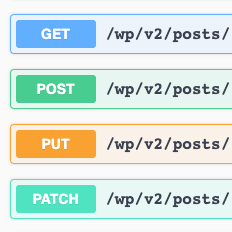
View plugin details ↗WordPress REST API with Swagger UI.
★ 5.0/5 (11)1,000+ active installations
- Version
- 2.4.0
- WordPress
- 4.7+
- PHP
- 7.4+
- Updated
- 12 Jul 2026
View plugin details ↗Easy add site-wide, category and article specific custom code before the closing </head> and </body>, or after opening <body> tag.
★ 5.0/5 (51)100,000+ active installations
- Version
- 1.5.9
- WordPress
- 5.2+
- PHP
- 5.6+
- Updated
- 31 Aug 2026
View plugin details ↗Improve frontend performance by disabling Google Fonts. GDPR and DSGVO friendly.
★ 4.5/5 (46)100,000+ active installations
- Version
- 2.0.3
- WordPress
- 4.8+
- Updated
- 13 Sep 2026
View plugin details ↗Free & simple SMTP plugin: send WordPress emails through your SMTP server or Mailjet, log every email and customize the welcome emails.
★ 4.2/5 (68)7,000+ active installations
- Version
- 7.0
- WordPress
- 5.0+
- PHP
- 7.4+
- Updated
- 12 Nov 2026
View plugin details ↗Add unlimited RSS feeds, import their items automatically, and show them anywhere on your site with a block or shortcode.
★ 4.5/5 (566)40,000+ active installations
- Version
- 5.8.0
- WordPress
- 6.2.2+
- PHP
- 7.4.0+
- Updated
- 18 Nov 2026
View plugin details ↗Get better WordPress login security; add two-factor authentication (2FA) for all your users with this easy-to-use plugin.
★ 4.7/5 (184)100,000+ active installations
- Version
- 4.3.0
- WordPress
- 5.7+
- PHP
- 7.4+
- Updated
- 10 Nov 2026
View plugin details ↗Use Advanced File Manager to manage WordPress files, create archives, monitor storage limits, and build document libraries all directly from your Word …
★ 4.8/5 (443)100,000+ active installations
- Version
- 6.0.0
- WordPress
- 4.0+
- PHP
- 7.0+
- Updated
- 14 Oct 2026
View plugin details ↗Display your environment and debug info in the toolbar.
★ 5.0/5 (1)40+ active installations
- Version
- 1.4.2
- WordPress
- 5.5+
- PHP
- 7.4+
- Updated
- 2 Sep 2026
View plugin details ↗