Create AI product photoshoots, gallery images, videos, landing pages, SEO-ready content and more directly inside WooCommerce.
10+ active installations
- Version
- 1.0.3
- WordPress
- 6.5+
- PHP
- 8.1+
- Updated
- 12 Sep 2026
View plugin details ↗DropProduct is a WooCommerce bulk product uploader that instantly creates draft products from image uploads — drag & drop multiple images, auto-ge …
20+ active installations
- Version
- 1.2.0
- WordPress
- 5.8+
- PHP
- 7.4+
- Updated
- 1 Aug 2026
View plugin details ↗Upscale product images with AI — now with Auto-Pilot background sync on product save, WooCommerce catalog bulk actions, and multi-language support (En …
10+ active installations
- Version
- 1.2.0
- WordPress
- 5.8+
- PHP
- 7.4+
- Updated
- 23 Nov 2026
View plugin details ↗Adds a product image lightbox with navigation and click-to-zoom to WooCommerce product galleries.
0+ active installations
- Version
- 1.0.2
- WordPress
- 5.8+
- PHP
- 7.4+
- Updated
- 17 Nov 2026
View plugin details ↗Lightweight, customizable blocks for building WordPress sites, plus an optional MCP module so AI agents can read your design and draft pages.
800+ active installations
- Version
- 2.0.2
- WordPress
- 6.4+
- PHP
- 7.4+
- Updated
- 24 Nov 2026
View plugin details ↗Display Product Images on Checkout Page.
★ 5.0/5 (3)500+ active installations
- Version
- 1.0.1
- WordPress
- 4.5+
- Updated
- 2 Nov 2023
View plugin details ↗Variation swatches for WooCommerce: color, image, button and radio swatches on product and shop pages. Sold-out marking, shareable variation links.
0+ active installations
- Version
- 0.14.0
- WordPress
- 6.0+
- PHP
- 8.0+
- Updated
- 25 Nov 2026
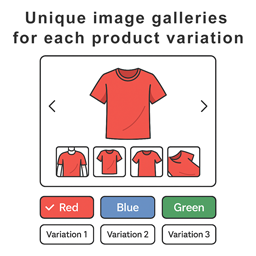
View plugin details ↗Short Description: Give each WooCommerce product variation its own gallery to improve your store’s visuals and shopping experience.
0+ active installations
- Version
- 1.0
- WordPress
- 6.6+
- PHP
- 8.1+
- Updated
- 31 Jul 2025
View plugin details ↗Free image optimizer: compress images to WebP or AVIF and keep your originals. No signup, API key, or monthly quota.
★ 5.0/5 (1)0+ active installations
- Version
- 1.2.0
- WordPress
- 6.6+
- PHP
- 7.4+
- Updated
- 29 Nov 2026
View plugin details ↗Connecting UnifiedSMB to WooCommerce to sync all your products, orders and payments.
10+ active installations
- Version
- 1.6.1
- WordPress
- 6.6+
- PHP
- 7.4+
- Updated
- 2 Nov 2026
View plugin details ↗An advanced solution to let customers pay with deposits or partial payments, following admin-set rules. Auto-check due dates and send reminders.
★ 4.5/5 (2)10+ active installations
- Version
- 1.1.0
- WordPress
- 5.9+
- PHP
- 7.4+
- Updated
- 24 Oct 2026
View plugin details ↗Finds product images smaller than 500×500 px, the Google Merchant Center minimum from 31 January 2027, and larger originals already on your site.
0+ active installations
- Version
- 1.0.1
- WordPress
- 6.2+
- PHP
- 7.4+
- Updated
- 25 Nov 2026
View plugin details ↗