Adds Google Analytics to your site with just your measurement ID or the full tracking code, plus optional IP anonymisation.
★ 5.0/5 (2)100+ active installations
- Version
- 3.3
- WordPress
- 5.5+
- PHP
- 7.4+
- Updated
- 27 Sep 2026
View plugin details ↗Generate and print QR codes for WooCommerce simple/variable products and coupons.
★ 5.0/5 (5)1,000+ active installations
- Version
- 2.1.2
- WordPress
- 6.0+
- PHP
- 7.4+
- Updated
- 29 Jul 2026
View plugin details ↗WordPress OAuth SSO (Single Sign On) with Azure, Okta, Cognito, Keycloak, OAuth & OpenID Providers. Free Unlimited SSO Authentication [24/7 Support]
★ 4.9/5 (327)6,000+ active installations
- Version
- 7.1.5
- WordPress
- 5.9+
- PHP
- 7.0+
- Updated
- 13 Nov 2026
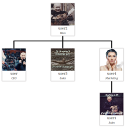
View plugin details ↗Drag-and-drop organization chart for WordPress. Display your team hierarchy with a shortcode.
★ 4.8/5 (22)900+ active installations
- Version
- 2.3.6
- WordPress
- 6.0+
- PHP
- 8.0+
- Updated
- 28 Jul 2026
View plugin details ↗WooCommerce inventory and stock management plugin with real-time Google Sheets sync. Track, manage, and bulk edit products instantly.
★ 4.5/5 (22)600+ active installations
- Version
- 3.18.0
- WordPress
- 5.4+
- PHP
- 5.6+
- Updated
- 17 Nov 2026
View plugin details ↗Fully responsive Bootstrap 5 blocks, components and extends for Gutenberg
★ 4.5/5 (8)1,000+ active installations
- Version
- 6.9.3
- WordPress
- 6.3+
- PHP
- 7.4+
- Updated
- 21 Nov 2026
View plugin details ↗Connect your WordPress account with our easy-to-use email software and increase the success of your website or blog with newsletter marketing!
★ 3.3/5 (7)4,000+ active installations
- Version
- 1.5.28
- WordPress
- 4.9+
- PHP
- 5.3+
- Updated
- 19 Nov 2026
View plugin details ↗The One Page Express Companion plugin adds drag and drop page builder functionality to the One Page Express theme.
★ 4.7/5 (11)10,000+ active installations
- Version
- 1.6.51
- WordPress
- 5.6+
- Updated
- 12 Aug 2026
View plugin details ↗Easily add Google Analytics 4 to WordPress using just your Measurement ID.
★ 5.0/5 (2)400+ active installations
- Version
- 1.7.0
- WordPress
- 5.7+
- PHP
- 7.0+
- Updated
- 13 Oct 2026
View plugin details ↗Ads for Genesis allows you to display any kind of ads without coding in your Genesis theme.
★ 5.0/5 (3)200+ active installations
- Version
- 2.0.2
- WordPress
- 5.9+
- PHP
- 7.4+
- Updated
- 14 Oct 2026
View plugin details ↗All-in-one geolocation. Personalized content, geolocation Dynamic Keyword Insertion shortcodes, Geo Redirects, and more. No coding required!
★ 5.0/5 (4)1,000+ active installations
- Version
- 1.5
- WordPress
- 4.0.1+
- Updated
- 8 Sep 2026
View plugin details ↗Juiz Social Post Sharer is now Nobs • Share Buttons. Add beautiful share buttons in your posts to allow visitors to share your content on social media …
★ 4.7/5 (93)3,000+ active installations
- Version
- 2.3.7
- WordPress
- 4.6+
- Updated
- 20 Feb 2026
View plugin details ↗