
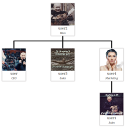
Simple Org Chart
By G Matta
Drag-and-drop organization chart for WordPress. Display your team hierarchy with a shortcode.
★ 4.8/5 (22)900+ active installations
- Version
- 2.3.6
- WordPress
- 6.0+
- PHP
- 8.0+
- Updated
- 28 Jul 2026
WORDPRESS RESOURCES
Explore public plugin information from the official WordPress.org directory. Compare what a plugin does, its requirements and update history before adding it to your website.
Explore WordPress hosting →1,082 matching plugins reported by WordPress.org · Page 4 of 50
Source: WordPress.org
Data refreshed 24 Nov 2026 13:04 UTC
By G Matta
Drag-and-drop organization chart for WordPress. Display your team hierarchy with a shortcode.

By LukasApps
Protect Contact Form 7 forms from spam with Google reCAPTCHA v2, reCAPTCHA v3, hCaptcha or Cloudflare Turnstile.

By Francesco Martini
Embed and display Ebooks in your website.
Create and send marketing emails and campaigns. Enable email automations, Popups, spin-a-wheel, sign-up forms, and more. Customize WooCommerce emails.

By Adrian Tobey
Get more leads and sales with effective popups that convert! Integrate HollerBox with your favorite CRM and email marketing tools.
The complete Elementor addons plugin: 55+ widgets for Elementor, Mega Menu Builder, Popup Builder, Widget Builder & Elementor Template Kits.
Formerly "Custom Facebook Feed". Display completely customizable Facebook feeds of a Facebook page. Supports Facebook oEmbeds.

By Ben Sibley
A simple, yet powerful WordPress analytics plugin that gives you privacy-friendly stats to grow your website. A Google Analytics alternative.
Create a responsive Blog Filter Post Grid to showcase posts. Let visitors filter by Category or Tag easily using Ajax. Supports Elementor and Divi.
Quickly create WordPress pages with 20+ blocks, 100+ ready-to-import designs, and advanced editor extensions. It’s website building, Lego-style!

By Atanas Yonkov
Easily add an interactive step-by-step user guide (intro tour) for your visitors. Based on Shepherd.js (https://shepherdjs.dev/).

By gregwisepops
Add Wisepops popups to your WordPress to effortlessly capture and engage web visitors and turn them into leads and happy customers.
CHOOSE WHAT YOUR WEBSITE NEEDS
Start with the task you need to solve. Compare features, WordPress and PHP requirements, update history and the author’s documentation. Test changes on a private copy and avoid adding several plugins for the same job.
This independent directory displays plugin information on WebFulHost and links to the official source. Packages are not mirrored or installed here. A plugin can include paid extensions or services with separate terms from its author.




