

Conditional Discount Rules For WooCommerce Checkout Plugin will help you to create and manage complex discount rules based on your requirement.
★ 4.0/5 (13)600+ active installations
- Version
- 2.5.6
- WordPress
- 5.0+
- PHP
- 7.2+
- Updated
- 29 Oct 2026
WORDPRESS RESOURCES
Explore public plugin information from the official WordPress.org directory. Compare what a plugin does, its requirements and update history before adding it to your website.
Explore WordPress hosting →2,890 matching plugins reported by WordPress.org · Page 4 of 50
Source: WordPress.org
Data refreshed 20 Nov 2026 14:40 UTC
Conditional Discount Rules For WooCommerce Checkout Plugin will help you to create and manage complex discount rules based on your requirement.

FunnelKit Cart adds a beautiful sliding cart to your WooCommerce store. Let the buyers add items, edit quantity and add upsells on the side cart.
By ELEXtensions
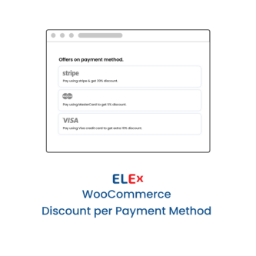
It will be a pleasant little surprise for customers if you offer a discount based on the payment method they have chosen on the Checkout page.
WCPOS is a point of sale (POS) for WooCommerce. Same stock online and at the till. Free, no transaction fees. Keep selling when the connection drops.

B2BKing is the complete solution for running a Wholesale, B2B or B2B + B2C hybrid store with WooCommerce.
Add a text before and after the product price both globally and individually. Also, apply a quick discount for your products.
WooCommerce coupon plugin for BOGO deals, store credit, URL coupons, discount codes, coupon rules, gift cards & loyalty program. Free & powerful.

WooCommerce discount rules plugin to create automatic product and cart discounts, bulk pricing, BOGO deals, and dynamic pricing without coupon codes.

Create WooCommerce product feeds for Google Shopping, Facebook, TikTok & 220+ channels. 2026 compliant. 6 formats.
The Dynamic Pricing With Discount Rules plugin enables bulk discounts for WooCommerce products. Its simple design allows easy setup in minutes.

By vendidero
Shiptastic for WooCommerce is your all-in-one shipping and fulfillment solution for WooCommerce.

By Oscar Gare
Product Pricing and Currency based on Shopper's Country for WooCommerce with multi-currency support and geolocation to boost international sales.
CHOOSE WHAT YOUR WEBSITE NEEDS
Start with the task you need to solve. Compare features, WordPress and PHP requirements, update history and the author’s documentation. Test changes on a private copy and avoid adding several plugins for the same job.
This independent directory displays plugin information on WebFulHost and links to the official source. Packages are not mirrored or installed here. A plugin can include paid extensions or services with separate terms from its author.



