

WPB Accordion Menu: Responsive accordion, vertical sidebar and mobile menu for WooCommerce categories, navigation menus & Elementor.
★ 4.4/5 (55)10,000+ active installations
- Version
- 1.8.7
- WordPress
- 5.0+
- Updated
- 15 Nov 2026
WORDPRESS RESOURCES
Explore public plugin information from the official WordPress.org directory. Compare what a plugin does, its requirements and update history before adding it to your website.
Explore WordPress hosting →10,000 matching plugins reported by WordPress.org · Page 4 of 50
Source: WordPress.org
Data refreshed 25 Nov 2026 11:32 UTC
WPB Accordion Menu: Responsive accordion, vertical sidebar and mobile menu for WooCommerce categories, navigation menus & Elementor.

By rdvinfotech
Add an image to a category or taxonomy. Display a category image using either a template tag or a shortcode.
By Pektsekye
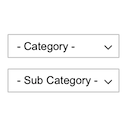
Displays product categories as dependent drop-down selects.

By mingocommerce
Are you looking for uploading image to a category ? Yes, Custom Category Image plugin exactly does that.

By QuantumCloud
Display Category based Product Listing for WooCommerce in tab format on any page. Woocommerce category list and woocommerce product table.
Display WooCommerce product categories in responsive sliders and grids to boost navigation, engagement, and product discovery.

By Mathew
Display a banner that allows users to add your website as a preferred source on Google Search.

By Nabil Lemsieh
Hide, disable, customize, or replace the WooCommerce Add to Cart button using conditional rules based on user role, cart content, country, and more.

By B2B Managers
Hide product prices and the Add to Cart button in WooCommerce with rule-based control. Perfect for B2B, wholesale, and catalog mode stores.

By ForwardFlip
Redirect customers to a custom URL when they add a product to the cart: skip the cart and go straight to checkout, or show another page.

AIOSEO is the WordPress SEO plugin. Boost SEO rankings with AI SEO tools, schema, meta descriptions, XML sitemaps & rank tracking.

By Arno Welzel
This widget displays top level categories in multiple columns.
CHOOSE WHAT YOUR WEBSITE NEEDS
Start with the task you need to solve. Compare features, WordPress and PHP requirements, update history and the author’s documentation. Test changes on a private copy and avoid adding several plugins for the same job.
This independent directory displays plugin information on WebFulHost and links to the official source. Packages are not mirrored or installed here. A plugin can include paid extensions or services with separate terms from its author.
