
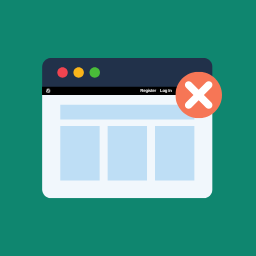
Hide Admin Bar from Non-Admins
By Andrew Lima
Hides the WordPress toolbar (admin bar) for all non-admin users. Simple plugin with no settings to configure.
★ 4.3/5 (30)10,000+ active installations
- Version
- 1.0.2
- WordPress
- 5.2+
- Updated
- 13 Aug 2026
WORDPRESS RESOURCES
Explore public plugin information from the official WordPress.org directory. Compare what a plugin does, its requirements and update history before adding it to your website.
Explore WordPress hosting →10,000 matching plugins reported by WordPress.org · Page 4 of 50
Source: WordPress.org
Data refreshed 20 Nov 2026 07:17 UTC
By Andrew Lima
Hides the WordPress toolbar (admin bar) for all non-admin users. Simple plugin with no settings to configure.

By David Vongries
The WordPress admin bar reimagined. Replace it with a quick access panel, auto-hide it or hide it for specific user roles.

By Christian Wach
Utilities for customising CiviCRM's behaviour and appearance in single site and multisite installs.

By Saad Iqbal
Secure and customize your WordPress login page with a custom login URL, 2FA, CAPTCHA, and more.
Easy Drag & Drop Page Builder. A complete solution to create a WordPress Website, Custom Themes, Landing Pages, Coming Soon & Maintenance Mode Pages.

By wpseek
What this plugin does is to reveal most removed IDs on admin pages, as it was in versions prior to 2.5.

By Andrew Stichbury
Admin Search adds a simple, easy-to-use interface to your WordPress admin site that gives you and your admin users the ability to search across multip …
By WP Chill
Let your admin menu breathe.

By apasionados
Show modified date column in the lists of pages and posts in the WordPress admin panel.

By Nuno Sarmento
Rename wp-admin login* is a plugin that allows us to rename wp-admin login URL to anything you want

By Landingi
Create landing pages without any programming skills and import them to your WordPress site using this plugin.

By Johan van der Wijk
With this plugin you can use customize the appearance of the WordPress login page, dashboard and head section tags.
CHOOSE WHAT YOUR WEBSITE NEEDS
Start with the task you need to solve. Compare features, WordPress and PHP requirements, update history and the author’s documentation. Test changes on a private copy and avoid adding several plugins for the same job.
This independent directory displays plugin information on WebFulHost and links to the official source. Packages are not mirrored or installed here. A plugin can include paid extensions or services with separate terms from its author.
