

Animate on Scroll
By Arya Dhiratara
Animate any Elements on scroll using the popular AOS JS library simply by adding class names.
★ 4.3/5 (6)4,000+ active installations
- Version
- 1.0.7
- WordPress
- 5.8+
- PHP
- 7.4+
- Updated
- 8 Apr 2024
WORDPRESS RESOURCES
Explore public plugin information from the official WordPress.org directory. Compare what a plugin does, its requirements and update history before adding it to your website.
Explore WordPress hosting →430 matching plugins reported by WordPress.org · Page 4 of 36
Source: WordPress.org
Data refreshed 20 Nov 2026 07:30 UTC
By Arya Dhiratara
Animate any Elements on scroll using the popular AOS JS library simply by adding class names.

By Fahim Reza
41 free Divi 5 modules and Divi extensions: image carousel, logo carousel, accordion, tabs, modal popup, video popup, FAQ, and more.

By Virgildia
Add scroll based animations to WordPress Gutenberg blocks.

By Ki-Themes
Amedea - Unique Design Elements for Elementor

Animation Addons: all-in-one Elementor addons pack – GSAP scroll animations, 100+ Elementor widgets, 40+ Elementor 4 Atomic Widgets & 300+ templates.
WordPress block editor Toolkit: responsive controls, blocks, icons, animations, pattern library. Modular design, fast, no coding skills required.

By Sajjad Hossain Sagor
Animate Your Headlines With Eye Catching Animation : Drag & Drop Animation Builder - Visual Composer (Now WPBakery Page Builder) Addon.
Responsive sliders from images, posts, WooCommerce, videos or blocks — or start from 100+ ready-made templates. Block editor & shortcode.
37 modern, lightweight widgets for SiteOrigin Page Builder: post grids, pricing tables, FAQ, sliders, and more the builder does not ship by default.
By wpbranddigital
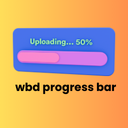
A beautiful and lightweight progress bar block for the WordPress Gutenberg editor with smooth animations and full customization options.

By Kristyna Bennett
A lightweight plugin that adds customizable widgets to Elementor, including a button widget, marquee, Flexbox carousel, WooCommerce widgets, and more.

By Olly Campion
Adds powerful customizer options to modify all aspects of the default WordPress theme Twenty Twenty.
CHOOSE WHAT YOUR WEBSITE NEEDS
Start with the task you need to solve. Compare features, WordPress and PHP requirements, update history and the author’s documentation. Test changes on a private copy and avoid adding several plugins for the same job.
This independent directory displays plugin information on WebFulHost and links to the official source. Packages are not mirrored or installed here. A plugin can include paid extensions or services with separate terms from its author.


