

Linguise is a top-quality automatic AI translation with a front-end translation editor. 5' install, SEO-optimized translations, 85+ languages
★ 4.9/5 (31)1,000+ active installations
- Version
- 2.2.80
- WordPress
- 4.0+
- PHP
- 7.0+
- Updated
- 19 Nov 2026
WORDPRESS RESOURCES
Explore public plugin information from the official WordPress.org directory. Compare what a plugin does, its requirements and update history before adding it to your website.
Explore WordPress hosting →5,950 matching plugins reported by WordPress.org · Page 4 of 50
Source: WordPress.org
Data refreshed 19 Nov 2026 04:55 UTC
Linguise is a top-quality automatic AI translation with a front-end translation editor. 5' install, SEO-optimized translations, 85+ languages

By BoldGrid
Search Engine (SEO) & Performance Optimization (WPO) via caching. Integrated caching: CDN, Page, Minify, Object, Fragment, Database support.
By Jory Hogeveen
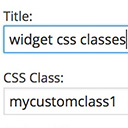
Add custom classes and ids plus first, last, even, odd, and numbered classes to your widgets.
A lightweight plugin that automatically minifies, compresses, and caches HTML, CSS, and JavaScript on demand to improve your website’s load speed.

By Chetan Vaghela
Manage, remove, or replace CSS and JavaScript version numbers with file modified timestamps for better cache management.

By Cellophile
Automatic File Renamer let you rename with prefix or suffix media's name, and redirect attachment pages where you want (3 options).

By David Anderson / Team Updraft
Get caching and more with this powerful cache plugin. Cache, optimize images, clean your database and minify for maximum performance.

By Code Snippets Pro
Manage custom WordPress code in one dashboard. Create PHP and HTML snippets, preview code, track snippet totals and reuse code across sites.
Google-certified CMP: cookie banner, cookie notice and cookie consent for GDPR/CCPA compliance, with cookie blocker, cookie scanner and consent log.

By David Anderson / Team Updraft
Backup, restore or migrate your WordPress website to another host or domain. Schedule backups or run manually. Migrate in minutes.

By Nexcess
The Events Calendar: #1 calendar plugin for WordPress. Create/manage events (virtual too!) on your site with the free plugin.

By Cloudways
Breeze is a caching plugin developed by Cloudways. Breeze uses advance caching systems to improve site loading times exponentially.
CHOOSE WHAT YOUR WEBSITE NEEDS
Start with the task you need to solve. Compare features, WordPress and PHP requirements, update history and the author’s documentation. Test changes on a private copy and avoid adding several plugins for the same job.
This independent directory displays plugin information on WebFulHost and links to the official source. Packages are not mirrored or installed here. A plugin can include paid extensions or services with separate terms from its author.

